How to Find Hidden Cameras: Complete 2026 Detection Guide
Disclosure: This page contains affiliate links. We may earn a commission at no extra cost to you. We only recommend products we've tested or thoroughly researched. Full disclosure.
Key Takeaways
- Visual sweep → lens reflection check → RF scan is the optimal detection order.
- Most hidden cameras are in smoke detectors, chargers, clocks, and bathroom fixtures.
- Your phone's front camera can reveal infrared LEDs invisible to the naked eye.
- No single detection method catches every camera type — always combine at least two.
Short answer: The fastest reliable workflow is visual inspection first, lens reflection second, RF sweep third. One method alone leaves blind spots. A layered sweep gives you the best chance of catching both active and offline cameras.
This is the master guide for people searching how to find hidden cameras or how to check for hidden cameras in real environments. It ties together every detection method and links to deep-dive playbooks so you can go deeper when needed.
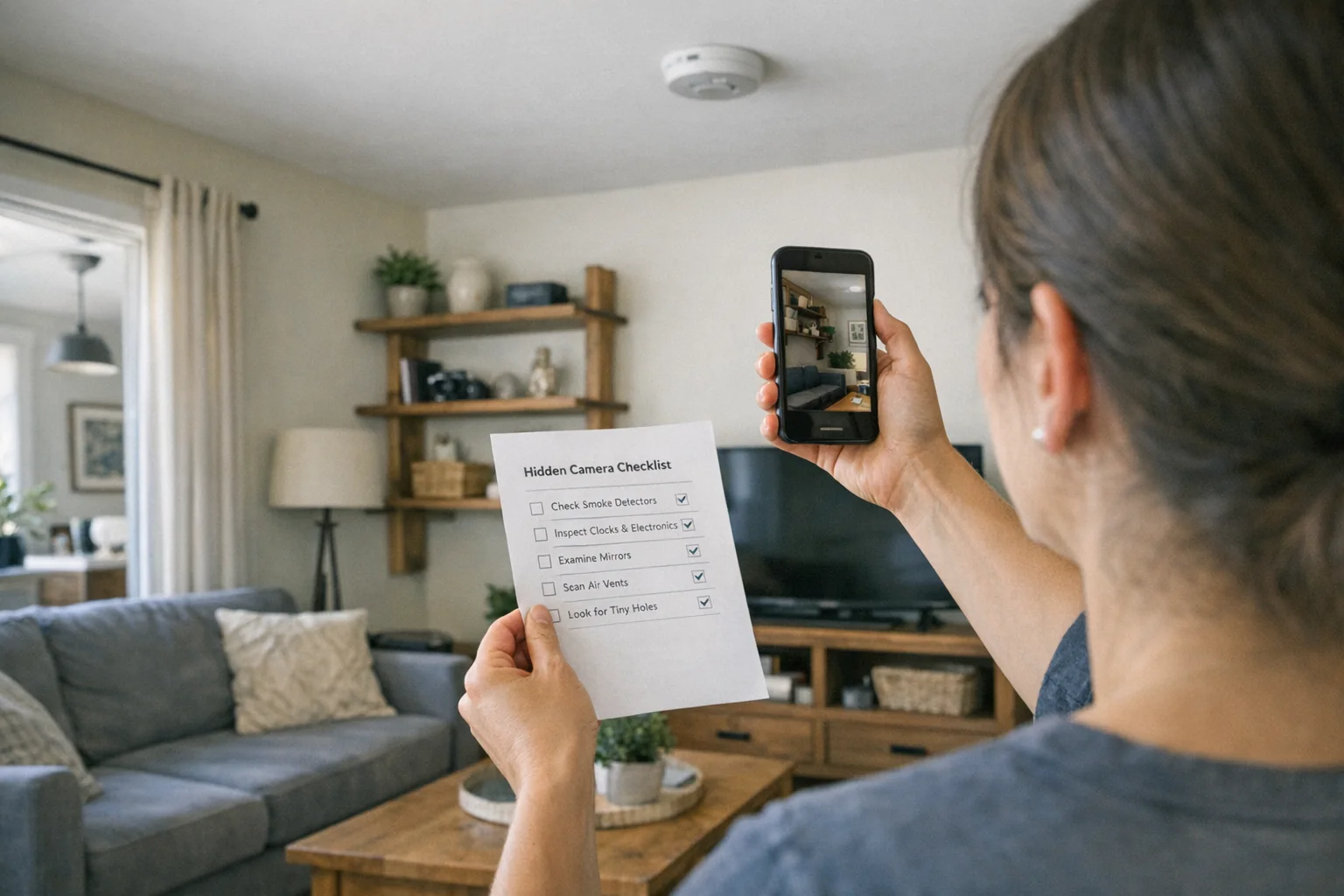
If you want one printable workflow, use the hidden camera checklist. If you are starting in a hotel, go straight to the hotel room sweep guide.
The 10-Minute Baseline Sweep (Start Here)
If you only remember one thing from this guide, remember this flow:
- Visual scan high-risk objects and sightlines.
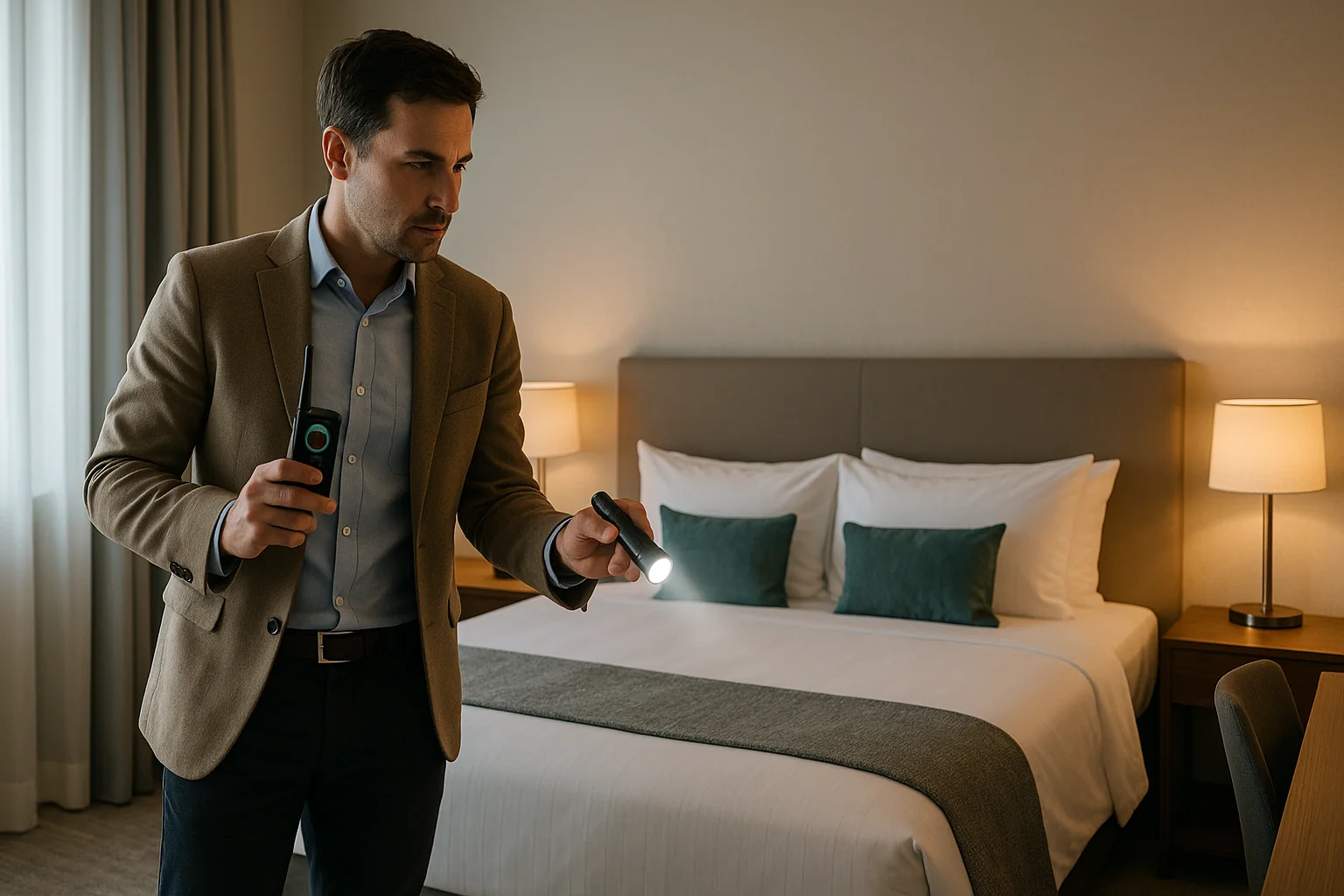
- Dark-room lens check with controlled flashlight angle.
- Phone IR pass for glowing infrared points.
- RF scan after reducing local signal noise.
- Wi-Fi audit to identify unknown camera-like devices.
- Document and escalate if anything stays suspicious.
This sequence works because it moves from broad and low-friction checks to technical confirmation methods. You catch obvious problems fast, then use tools for hidden edge cases.
Hidden Camera Detection Methods Compared
| Method | Best For | Effectiveness | Cost | Difficulty | Main Blind Spot |
|---|---|---|---|---|---|
| Visual Inspection | Fast first-pass screening in any room | High | $0 | Easy | Well-concealed pinhole cameras |
| Phone IR + Flashlight | Quick night-vision and lens reflection checks | Medium | $0 | Easy | Non-reflective or blocked lens positions |
| RF Scanner | Finding active wireless transmitters | Medium-High | $40-$150 | Moderate | Offline, wired, or dormant cameras |
| Lens Finder Device | Detecting camera optics regardless of transmission | High | $60-$200 | Moderate | Blocked line-of-sight surfaces |
| Wi-Fi Device Audit | Flagging suspicious network-connected devices | Medium | $0-$5 | Moderate | Local-only or hardwired cameras |
| Professional TSCM Sweep | High-stakes or legally sensitive situations | Very High | $300-$2,000+ | Expert | Cost and availability |
Need a deeper method breakdown? Read detection methods compared and RF detector vs lens finder.
Method 1: Visual Inspection (Most Underrated, Most Reliable)
People skip visual checks because they feel too simple. That is a mistake. Many cameras are found because something looks wrong before any device confirms it.
What to look for
- Objects facing private areas without a clear reason.
- Tiny pinholes in chargers, clocks, smoke detectors, hooks, or wall decor.
- New or oddly placed items that look newer than the rest of the room.
- Double-sided mirrors or mirrored panels facing beds or changing areas.
- Misaligned vents, outlet plates, or devices with unusual cable routing.
Visual sweep pattern that works
- Start at the bed, shower, toilet, and desk zones.
- Scan at eye level first, then crouch for low-angle lines of sight.
- Check high corners, vents, and ceiling fixtures.
- Inspect any object with power, storage, or line-of-sight orientation.
- Ask one hard question for every object: “Could this record me from here?”
Environment-specific visual priorities
- Hotels: alarm clocks, TV boxes, smoke detectors, wall chargers, bathroom vents.
- Airbnbs: decorative clocks, hidden USB hubs, bookshelves, router shelves, smart displays.
- Changing rooms: hooks, mirror edges, air vents, cubicle seams, signage mounts.
- Workplaces: desk ornaments, conference room devices, shared office adapters.
- New homes or rentals: pre-installed smart hubs, garage gear, attic/basement power strips.
For room-specific walkthroughs, see how to find hidden cameras in Airbnb, changing room detection guide, work-from-home surveillance detection, and new home camera sweep guide.
Method 2: Phone Methods (Great First Pass, Not Final Proof)
Phone checks are popular because they are immediate and free. They can be useful when done correctly, especially before you decide whether to buy hardware.
Phone method A: Dark-room infrared scan
Many cameras with night vision emit infrared light. In a dark room, your phone camera may show these as faint white, purple, or pink points.
How to do it well:
- Turn off room lights.
- Open your front camera first (often more sensitive to IR than rear camera).
- Sweep slowly across suspicious devices and dark corners.
- Pause on any glowing point and inspect physically.
What goes wrong:
- Router LEDs and charging lights trigger false alarms.
- Reflective surfaces create glare that looks like signal.
- Some cameras use IR filters and stay invisible to phone sensors.
Phone method B: Flashlight lens reflection check
A camera lens reflects light differently than matte plastic. In low light, small lens elements can glint.
Execution tips:
- Hold flashlight near eye level.
- Sweep side-to-side slowly, not straight-on only.
- Re-check from a second angle to confirm repeatable glint.
Phone method C: Basic network discovery
Apps such as Fing can map nearby network devices. This helps when a camera is connected to local Wi-Fi.
Use it correctly:
- Note known devices first (your phone, laptop, TV, router).
- Flag unknown devices with camera-like vendors or generic IDs.
- Combine findings with a physical location search.
Use our full phone workflow here: detect hidden cameras with phone and best detector apps guide.
Method 3: RF Detection (Best for Active Wireless Threats)
An RF detector scans for radio signals that transmitting cameras and microphones use. It is useful, but only when the camera is actively broadcasting.
RF scan setup that reduces false positives
Before scanning:
- Turn your phone to airplane mode.
- Disable smartwatch and earbuds.
- Move your laptop away from the scan area.
- Temporarily reduce known Wi-Fi and Bluetooth noise when possible.
During scanning:
- Start on low sensitivity.
- Sweep perimeter first, then high-risk zones.
- Raise sensitivity only near suspicious spikes.
- Move detector slowly in circles around the spike.
- Confirm with visual and lens methods before concluding.
Common RF false positives
- Wi-Fi routers and mesh nodes.
- Smart TVs and set-top boxes.
- Wireless speakers and keyboards.
- Nearby rooms leaking signal through walls.
The goal is not “zero signal.” The goal is isolating unexpected signal behavior in private-space sightlines.
If you need hardware details and device picks, start with hidden camera detector guide and best hidden camera detectors.
Method 4: Lens Finders (Best for Offline or Non-Transmitting Cameras)
Lens finders detect optical reflections from camera glass. This makes them powerful when RF tools fail because the camera is wired or recording locally.
Why lens finders matter
- They do not depend on transmission.
- They work against dormant or intermittent devices.
- They can confirm suspicious holes or object seams quickly.
Lens finder workflow
- Dim the room.
- Look through the finder scope if included.
- Sweep from top-left to bottom-right in overlapping rows.
- Stop at any bright pinprick reflection and validate with a closer look.
- Re-scan from a second angle to confirm.
Practical limits
- Line of sight is required.
- Clutter and glossy decor can add noise.
- Fast sweeps miss small glints.
Need the side-by-side comparison? Use RF detector vs lens finder.
Method 5: Wi-Fi Scanning (Useful Triage, Not a Standalone Answer)
Wi-Fi scanning helps you detect network-connected devices quickly, especially in rentals with many smart devices.
What Wi-Fi scans can reveal
- Unknown IP cameras and network bridges.
- Duplicate devices with odd naming patterns.
- Unexpected always-on transmitters.
What Wi-Fi scans cannot reveal
- Cameras recording locally to SD cards.
- Devices on hidden or isolated networks.
- Hardwired systems with no wireless exposure.
Use Wi-Fi findings to guide physical search, not replace it. Detailed process: find hidden cameras with Wi-Fi scan.
Method 6: Professional Help (When Risk Is High or Evidence Is Sensitive)
If you have repeated suspicious findings, legal exposure, or personal safety concerns, bring in a professional TSCM (Technical Surveillance Countermeasures) team.
When escalation is justified
- You found probable hardware but cannot safely confirm.
- You suspect targeted harassment, stalking, or domestic abuse.
- You are in a high-value professional or legal environment.
- The same location keeps triggering suspicious indicators.
What to ask before hiring
- Do you provide written chain-of-custody procedures?
- Which detection tools and protocols do you use?
- Can you provide documented findings with timestamps and photos?
- Do you support law enforcement handoff if evidence is found?
Professional support is often the fastest way to convert uncertainty into evidence-grade clarity.
Environment Playbooks
The right method depends on where you are. Use these environment-specific priorities.
Hotels
- Run the 5 to 10 minute sweep before unpacking.
- Prioritize bedside electronics, bathroom fixtures, mirrors, TV area.
- Use front camera IR check in dark room, then RF pass.
Deep dive: hotel room sweep guide and room sweep hidden cameras.
Airbnbs and Short-Term Rentals
- Inspect host-provided electronics and decorative items first.
- Check disclosure rules in listing details.
- Use Wi-Fi map + physical verification for unknown devices.
Deep dive: how to find hidden cameras in Airbnb.
Changing Rooms and Public Private Spaces
- Focus on hooks, mirror edges, wall fixtures, and vents.
- Use quick lens reflection sweep at multiple angles.
- Report staff concerns immediately and request documented response.
Deep dive: changing room hidden camera detection.
Workplaces and Remote Work Setups
- Separate legitimate security devices from private workspace areas.
- Document policy context before escalating internally.
- Use evidence-first language, not accusation-first language.
Deep dive: employer surveillance detection for work from home.
New Homes and Long-Term Rentals
- Sweep utility rooms, attic access points, garages, and smart home hubs.
- Audit unknown smart devices inherited from prior owners or tenants.
- Run repeated checks after service visits or contractor work.
Deep dive: find hidden cameras in new home.
Gear Recommendations by Risk Level
If you travel often or want better confidence than phone-only checks, hardware is worth it.
Low-risk, occasional traveler
- Use phone + manual checklist first.
- Add a budget combo device if you want extra certainty.
Frequent travel or recurring rentals
- Use combo detector + lens workflow every check-in.
- Build one repeatable process and stick to it.
High-risk environments
- Use dedicated lens finder plus RF detector.
- Escalate to professional sweep if unresolved.

JMDHKK K18+
Best All-Around Travel Detector
Balanced RF, lens, and magnetic detection for practical hotel and rental sweeps.
- RF scan
- Lens finder mode
- Rechargeable

SpyFinder Pro
Best Lens Detection Certainty
Strong dedicated lens detection when you need higher confidence against offline cameras.
- Dedicated lens optics
- Higher sensitivity
- Travel-ready case
If you want full budget and feature comparisons, use best hidden camera detectors 2026 and best detectors under $50.
What to Do If You Find a Hidden Camera
Do not improvise. Evidence handling matters.
- Do not touch or unplug the device.
- Photograph and video it in place from multiple angles.
- Capture context (room number, timestamp, surrounding fixtures).
- Leave the room and move to a safe location.
- Notify management in writing and request a written incident report.
- Contact law enforcement and preserve your original media files.
This protects both your safety and the legal chain of evidence.
Common Mistakes That Cause Missed Detections
- Trusting only one method.
- Scanning too quickly.
- Running RF scans in high-noise mode without control.
- Ignoring line-of-sight logic.
- Treating app alerts as proof without physical verification.
- Failing to document suspicious findings immediately.
The fix is simple: run the same layered process every time.
FAQ: How to Find Hidden Cameras
Can I find hidden cameras in less than 5 minutes?
You can catch obvious risks fast, but a reliable layered sweep usually takes 5 to 10 minutes. Faster checks increase false negatives.
Should I always use an RF detector?
Use RF when risk is moderate to high, or when the environment has many electronics. For low-risk situations, visual + lens workflow may be enough.
Are hidden camera detector apps worth paying for?
Paid apps can improve workflow and reduce ad friction, but they still cannot replace lens checks or hardware in higher-risk settings.
What if I cannot turn off room lights for an IR scan?
Use visual and RF methods first, then run a reduced-light lens reflection check by shadowing windows and bright lamps where possible.
Do I need legal advice if I find a suspicious device?
If the incident affects personal safety, employment, or legal liability, yes. Preserve evidence first and avoid tampering.
How can I teach this process to family members?
Use one-page checklists and repeat the same sweep order at each check-in. Consistency beats complexity.
Related Deep-Dive Guides
Use this page as your hub, then jump to the specific scenario:
- Hotel Room Hidden Camera Check: 5-Minute Sweep Guide
- How to Find Hidden Cameras in Airbnb
- How to Detect Hidden Cameras with Your Phone
- Find Hidden Cameras with Wi-Fi Scan
- RF Detector vs Lens Finder
- Hidden Camera Changing Room Detection
- Find Hidden Cameras in New Home
- Employer Surveillance Detection (Work From Home)
Final Takeaway
If you are asking “how do I find hidden cameras,” you do not need panic. You need a repeatable system.
Run a visual sweep. Confirm with lens checks. Add RF scanning when risk is higher. Document everything if you find something suspicious.
That process is realistic, fast, and good enough to use at every check-in.
Smart Picks
Smart Picks for This Guide
We curated this short shelf from high-performing recommendations for faster buying decisions.
SpyFinder Pro
Most accurate lens detection
Best when you need confident detection of hidden wired and non-transmitting devices.
- Consistent lens performance
- Clear pass/fail indicator
- Strong build quality
JMDHKK K18+
Most complete detection method
Four detection modes for quick room sweeps in hotels, Airbnbs, and rentals.
- RF + lens + magnetic + audio
- Affordable
- Simple sensitivity controls
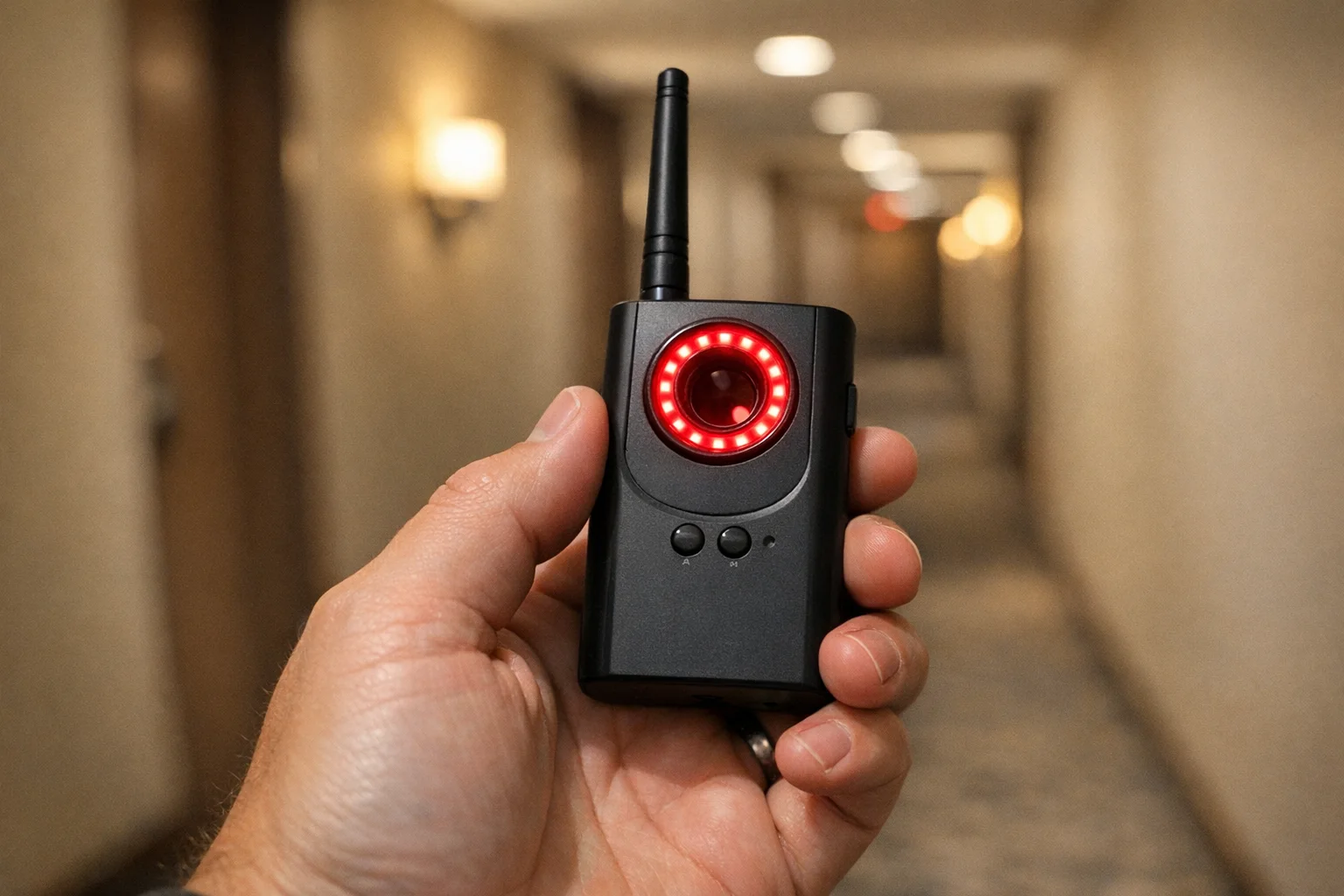
Navfalcon 2025 RF Detector
Best value RF upgrade
Higher sensitivity for RF-focused scans and fewer misses on battery-powered units.
- Improved RF filtering
- Longer scan reach
- Budget-sensitive option
We earn commissions from qualifying Amazon purchases. Full disclosure.
Get the free checklist
Printable hidden camera detection checklist + gear deals. Free, no spam.
Free updates. Unsubscribe anytime.
Frequently Asked Questions
What is the best way to find hidden cameras quickly?
Can I find hidden cameras with just my phone?
Do RF detectors find all hidden cameras?
How do I check a hotel room for hidden cameras?
How do I check an Airbnb for hidden cameras?
Can hidden cameras work without Wi-Fi?
What should I do if I find a hidden camera?
Are hidden cameras legal in hotels or rentals?
How often should frequent travelers do a sweep?
Do lens finders work better than phone flashlight checks?
Can I detect hidden cameras in changing rooms?
When should I hire a professional bug sweep service?
What to Do Next
Related Guides
Best Hidden Camera Detector Apps (2026): iPhone & Android
The best hidden camera detector apps for iPhone and Android — what they find, what they miss, and when to upgrade to dedicated hardware.
Read guide
Workplace Surveillance Detection in Your Home Office (2026)
Methods to identify covert workplace monitoring at home, from software logs to unusual network activity and hidden devices, while protecting your privacy.
Read guide
How to Find Hidden Cameras with iPhone and Android (2026)
Use your iPhone or Android to detect hidden cameras with built-in tools. Step-by-step: flashlight sweep, IR check, WiFi scan, and when to upgrade to gear.
Read guide