Best Hidden Camera Detectors 2026: RF vs Lens Buying Guide
Disclosure: This page contains affiliate links. We may earn a commission at no extra cost to you. We research products from manufacturer specifications and published reviews; we do not test them ourselves. Full disclosure.
Key Takeaways
- No single detector finds every hidden camera configuration.
- Lens-based checks can help find visible camera lenses even when no wireless signal is present.
- RF alerts need careful interpretation because normal electronics also produce signals.
The practical buying decision
The most important distinction is not a feature-count or a marketplace badge. It is whether the tool helps with the situation you actually have.
- A lens-first tool is useful when you need to inspect for camera lenses, including cameras that may not be transmitting.
- An RF detector can point to active signals, but a signal alone is not evidence of a camera. Phones, routers, televisions, and neighboring devices can all create noise.
- A manual sweep remains essential: look at chargers, clocks, vents, smoke detectors, decorative objects, and any surface with a direct view of a bed, shower, or changing area.
If you want one low-cost device, our first pick is the JMDHKK K18+. Its listing says it has camera finder, bug detector and magnetic modes in one device. If a lens check matters most, SpyFinder Pro is a dedicated lens finder, so it does not depend on a camera transmitting a signal. See our first pick below.
What is a hidden camera detector?
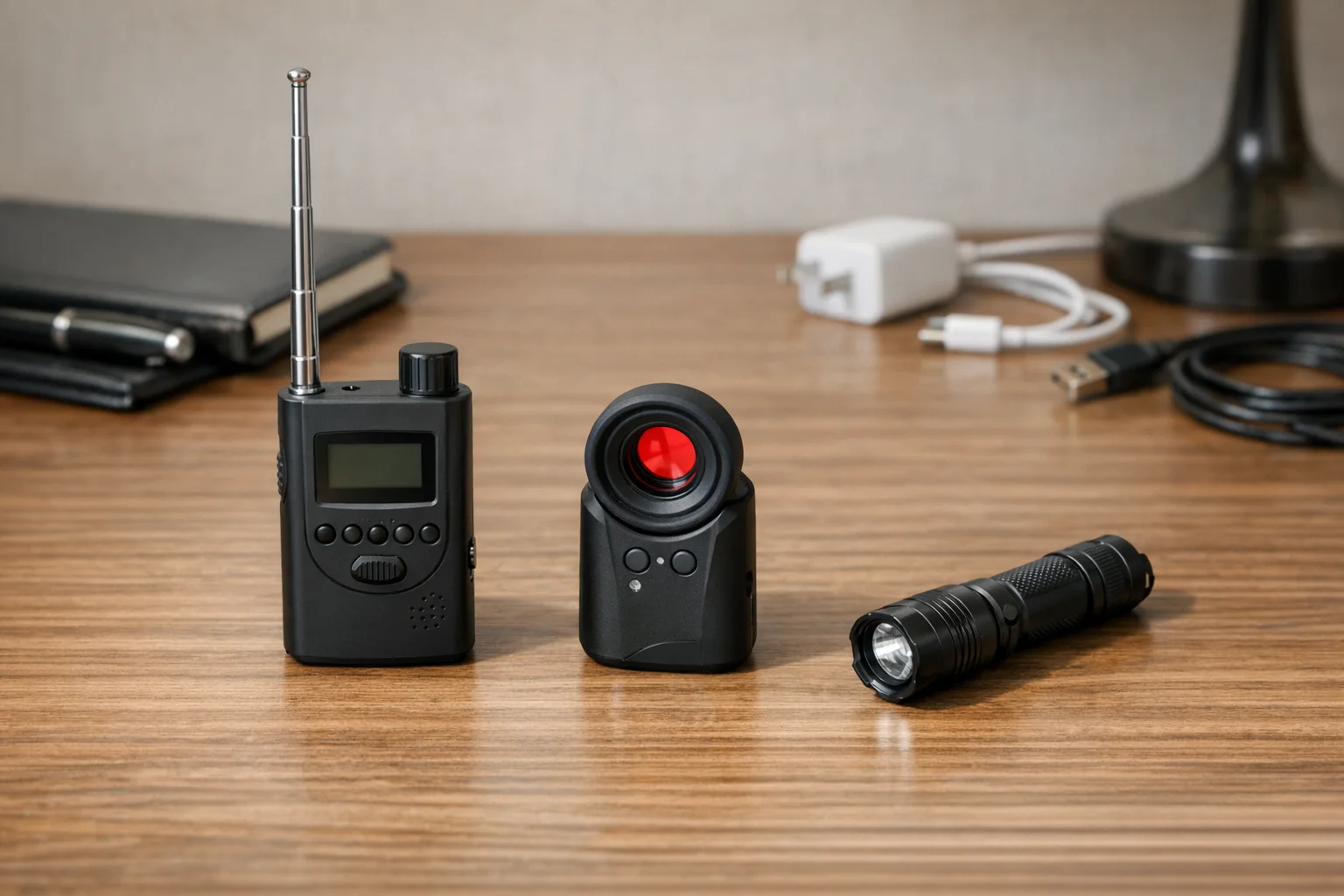
A hidden camera detector is a tool that helps you find a concealed recording device. A 2026 University College London study of consumer detectors describes three methods that these tools usually combine:
- RF (radio frequency) scanning picks up Wi-Fi and Bluetooth transmissions. Surveillance devices often transmit intermittently and at low power, so their signals are hard to separate from routers and other everyday electronics.
- Infrared lens detection looks for light reflected back from a camera lens. It does not need a wireless signal, but it can fail when the lens is concealed.
- Magnetometer sensing reacts to magnets and metal parts. It can raise false alarms on ordinary household objects.
A multi-mode or “combo” detector puts more than one of these methods in one device. The same study notes that all three methods are vulnerable to interference and false positives, so no method replaces a slow visual check.
What to look for: decision framework
Detection method: lens-first vs RF-first
Lens detection works by reflecting light off camera lenses, regardless of whether the camera is transmitting wirelessly. A lens-first tool can find cameras that are:
- Wired into the building’s electrical system
- Recording to an SD card without transmitting
- Powered off or in standby mode
- Too well-shielded for RF detection
RF (radio frequency) detection scans for wireless signals from transmitting cameras. RF tools are useful for finding:
- Wi-Fi connected cameras
- Cellular cameras with active data links
- Bluetooth-enabled surveillance devices
Reality check: A camera that streams over Wi-Fi gives an RF tool something to find. A camera that is wired, offline, or recording to a card may not, which is where a lens check helps.
Use case: what scenario are you protecting against?
Frequent travelers staying in hotels/Airbnbs → Lens-first detector with reliable performance. You need confidence and speed over multi-mode versatility.
Occasional travelers seeking broader protection → All-in-one detector with RF + lens + magnetic detection. More modes means more learning curve, but broader threat coverage.
Budget-conscious first-time buyers → Start with our phone detection methods and upgrade to hardware only after understanding your threat model and use frequency.
Price vs performance
A higher price does not prove better detection. In the 2026 UCL study, the signal-strength detectors performed about the same despite differences in price and specification. Choose by detection method and by how clear the tool’s output is, not by price tier.
Choose the method before the product
When a lens-first check is the better fit: Choose this route if your concern includes cameras that could be wired, offline, or recording locally. A lens finder does not need to identify a wireless transmission before you inspect a possible camera lens.
When an RF check can still help: Use RF results as a prompt to narrow a search, not as a verdict. Reduce nearby interference where possible, move closer to the source of an alert, and confirm the source with a visual inspection.
When a phone is enough for the first pass: For a quick check on arrival, follow our phone detection workflow, which also covers detection apps. Phone tools can help inventory a connected network, but they cannot prove a room is free of cameras.
A five-minute room sweep
- Look for objects pointed at private areas.
- Check for unusual pinholes, reflections, or cables.
- Turn down the lights and make a slow flashlight sweep at eye level.
- Inspect unfamiliar devices on the local Wi-Fi network only as clues to investigate.
- Escalate to a dedicated lens-first tool if the setting is higher risk or the uncertainty remains.
For a method-by-method explanation, see RF detector vs lens finder.
First pick: JMDHKK K18+ for a low-cost multi-mode check
If you want one low-cost device for a room sweep, the JMDHKK K18+ is our first pick. Its Amazon listing says it has a camera finder, a bug (RF) detector and a magnetic detector, and that you switch between them with two buttons. We have not tested it. In the 2026 UCL study, the K18 and K19+ did no better than cheaper models, so use it as an aid to a slow visual sweep, not as proof that a room is clear.

JMDHKK K18+ RF Detector
First Pick for a Low-Cost Multi-Mode Check
Camera finder, bug detector and magnetic modes in one device, according to its listing.
- Camera finder, bug and magnetic modes (per its listing)
- Two-button mode switch (per its listing)
- Use it with a slow visual sweep
Best for: Occasional travelers and first-time buyers who want several detection methods in one low-cost device.
Read more: K18 limitations and alternatives
Lens-first choice: SpyFinder Pro
For travelers who want a dedicated lens finder, SpyFinder Pro is the lens-first choice. It uses bright red LEDs to show camera lenses as a blinking spot through the eyepiece, and the maker says it finds cameras whether they are on or off (SpyFinder Pro maker page). It needs a line of sight to the lens, and the manual says curved, shiny surfaces can cause false positives (SpyFinder Pro manual, PDF).
Best for: Frequent travelers, Airbnb guests, business travelers who want a dedicated lens check more than multi-mode versatility.
Read our full analysis: SpyFinder Pro review
Detection method comparison: what each type finds
Each method looks for a different thing, so each has different blind spots. The 2026 UCL study notes that all of them are vulnerable to interference and false positives.
| Detection method | What it looks for | What it can miss | Best use |
|---|---|---|---|
| Lens detection (optical) | Light reflected back from a camera lens. Works whether or not the camera transmits. | Lenses that are concealed or out of line of sight. In the UCL dark-room test, the lens modes of the tested apps did not show concealed cameras. | A focused lens check in private spaces |
| RF detection | Wi-Fi and Bluetooth transmissions | Wired, offline or locally recording cameras that do not transmit. Routers and phones also set it off. | A clue to investigate, not a verdict |
| Magnetic detection | Magnets and metal parts | Anything not right next to the sensor. In the UCL tests, phone magnetometer apps had to be within 1-2 cm and could not tell a surveillance device from keys or coins. | A supplemental close-range check |
| Phone camera (IR) | Active infrared night-vision LEDs | Any camera with no active infrared light | A quick first pass without buying gear |
| Wi-Fi network scan | Devices on the same network | Cameras that are wired, offline or on a different network | Spotting connected cameras |
Sources: the UCL study for RF, magnetic and lens limits (section 2 and appendix C), and the SpyFinder Pro manual (PDF) for how lens reflection works.
Key takeaway: No method covers every case. A lens check covers cameras that do not transmit, and an RF check covers some that do. Pair either with a slow visual sweep.
Common questions before you buy
Do I really need a detector, or is my phone enough?
Phone methods work well for quick first-pass checks, but they have real limitations:
- Phones can’t reliably detect camera lenses (the flashlight sweep technique requires practice and good lighting)
- Some phone cameras filter infrared light, so they may not show infrared LEDs
- Wi-Fi scanning only finds cameras on the same network
Recommendation: Start with phone detection methods for occasional checks. Upgrade to a dedicated detector if you travel frequently, stay in rentals often, or have experienced a privacy violation.
What about cameras behind walls or in mirrors?
Lens detectors can find cameras behind two-way mirrors if the lens is visible from your side of the mirror. The lens must have line-of-sight to record you, so it must be visible (even if very small) from your viewing angle.
Cameras deeply embedded in walls or ceilings with only a pinhole opening are harder to detect with consumer gear. In a 2026 BBC investigation into hotel spy cameras in China, researchers found a camera hidden in a hotel room’s wall ventilation unit and wired into the building’s electricity supply. A hidden-camera detector sold online for hotel guests gave no warning. Read our summary of the BBC investigation.
Reality check: Consumer detectors miss a lot. In the 2026 UCL study, participants with a detector still missed 58.8% of hidden devices. Treat any detector as an aid to a careful visual sweep. For high-security situations, consider professional debugging services.
How long does a room sweep take?
With a dedicated detector: 5-10 minutes for a thorough first pass covering:
- Private zones first (bed area, bathroom, changing area)
- Eye-level fixtures (smoke detectors, clocks, USB chargers, picture frames)
- Low fixtures (outlets, baseboards, furniture)
- Ceiling fixtures (smoke detectors, vents, light fixtures)
With phone methods only: 8-15 minutes because you need to run multiple detection techniques (IR scan, flashlight sweep, Wi-Fi scan, physical inspection).
For a complete methodology, see our hotel room sweep guide.
Budget multi-mode detectors: what to expect
Low-cost multi-mode detectors promise RF, lens, and magnetic checks in one device. The 2026 UCL study gave 34 participants 19 detection tools: physical detectors under £50 and free or freemium phone apps. Participants searched a mock living room for hidden devices. It is a small lab study about intimate partner surveillance, not a hotel test, but it shows the limits of this category:
- The tools helped only a little. Participants with a detector still missed 58.8% of hidden devices, against 66.7% when they searched by eye alone (study results).
- Price did not separate the physical detectors. The signal-strength detectors performed about the same despite differences in price and specification, and the K18 and K19+ did no better than cheaper models (study results).
- Sensitivity controls caused false alerts. Participants read sensitivity as range, turned it up to scan wider areas, and got many false positives (study results).
- Lens modes missed concealed cameras. In a dark-room test, the researchers report that phone cameras showed up, but concealed cameras, including a USB charger camera, did not (study appendix C).
The study also found that tools with a clear list of detected devices and next steps did better than tools that showed only signal strength. Read the K18 limitations and alternatives if you are comparing this category. Do not treat a long feature list as proof of reliable detection. If you buy a budget device, use it as an aid to a visual inspection, not as a guarantee that a room is clear.
Bottom line
Buy based on the detection problem, not a generic “best overall” label. For a hardware recommendation today, choose the lens-first option when checking for camera lenses matters most. Pair any device with a deliberate room sweep and realistic expectations about what it can and cannot detect.
Smart Picks
Smart Picks for This Guide
A short list chosen from manufacturer specifications and published reviews. We have not tested these products ourselves.
JMDHKK K18+
First pick: low-cost multi-mode check
Camera finder, bug detector and magnetic field detector modes in one device, according to its listing.
- Three modes, per its listing
- Not tested by us
- Use with a slow visual sweep

SpyFinder Pro
Lens-first choice
Best for wired, non-transmitting, and low-light camera sweeps where RF misses threats.
- Finds lenses with no signal needed
- Travel-ready form factor
- Not tested by us
We earn commissions from qualifying Amazon purchases. Full disclosure.
Get the free checklist
Printable hidden camera detection checklist + gear deals. Free, no spam.
Free updates. Unsubscribe anytime.
Frequently Asked Questions
What is the best hidden camera detector for a hotel room?
Do RF detectors find every hidden camera?
What should I do before buying a detector?
Do hidden camera detectors actually work?
Can my phone detect hidden cameras?
What should I look for in a hidden camera detector?
What to Do Next
Related Guides
K18+ RF Detector Review 2026: Specs and False Positives
A practical explanation of K18-style RF detector limits, false positives, calibration, and when a lens-first alternative is a better fit.
Read guide
SpyFinder Pro Review 2026 - What It Finds and Misses
SpyFinder Pro review breaks down what this premium lens detector finds, what it misses, and whether it's worth it over cheaper alternatives like the K18+.
Read guide
BBC Spy Camera Documentary - Hotel Spycams Found in China
A BBC investigation traced a spy camera wired into a Chinese hotel room vent. What the BBC reported, and how to check your own hotel room.
Read guide