Solo Female Travelers' Guide to Hidden Camera Privacy

Disclosure: This page contains affiliate links. We may earn a commission at no extra cost to you. We only recommend products we've tested or thoroughly researched. Full disclosure.
Need the full method stack? Start with our How to Find Hidden Cameras: Complete 2026 Detection Guide, then use this page for scenario-specific steps.
As a solo female traveler, protecting your privacy isn’t just about personal comfort—it’s about your safety and security. Hidden cameras in accommodations are a growing concern, with cases reported in Airbnbs, hotels, and rental properties worldwide. This comprehensive guide will equip you with the knowledge, tools, and confidence to protect yourself from privacy violations during your travels.
What You’ll Learn
- How to assess accommodation risks before booking (red flags in reviews, host behavior, property photos)
- Hostel and shared accommodation-specific threats (mixed dorms, bathrooms, lockers, common areas)
- Building a backpack-friendly detection kit that passes TSA screening
- Streamlined 3-minute check-in routine for busy travelers
- Women’s travel safety networks and emergency resources
- Cultural sensitivity when investigating privacy concerns abroad
Prevention Starts Before You Book: Reading Between the Lines
Your first defense against hidden cameras happens before you even arrive. Thorough pre-booking research eliminates many high-risk properties entirely, dramatically reducing your exposure to privacy violations while traveling.
Red Flags in Listing Photos and Descriptions
Camera placement patterns to spot:
- Excessive security equipment mentioned or visible in photos
- Close-up professional photos of bedroom/bathroom areas (unusual for accommodations)
- Photos taken from angles that seem odd (hidden camera angles versus guest perspective)
- Mention of “advanced security” or “monitoring” without specifics
- Smart displays visible in bedrooms (Echo Show, Google Nest Hub)
Host behavior red flags:
- Hosts who seem overly interested in guest activities
- Vague responses to privacy questions
- Recently created profiles with few reviews
- Multiple reviews mentioning camera concerns (search reviews for “camera,” “privacy,” “uncomfortable,” “watched”)
- Defensive tone about security systems
Accommodation-specific concerns:
- Hostels with private rooms that lack proper locks
- Mixed-gender dorms with no privacy dividers
- Budget properties with inadequate bathroom locks
- Properties managed by absent owners (more opportunities for undetected cameras)
- Rooms with shared walls where guests can hear each other (indicates privacy issues)
Booking Platform Protections
Before confirming any reservation:
- Verify the property’s camera policy on the platform
- Check if Airbnb lists any disclosed cameras (currently banned for indoor spaces as of April 2024)
- Look for “Superhost” status (though this isn’t a guarantee)
- Read the fine print: does the booking mention security cameras?
- Screenshot the listing to compare with what you find on arrival
Researching Your Destination
Use women traveler networks to vet accommodations:
- Search Facebook groups like “Solo Female Travellers” or “Women Who Travel”
- Check posts mentioning your specific destination or property
- Ask questions: “Anyone stayed at [property name]? Safe and private?”
- Read Trip Advisor’s women traveler reviews specifically
- Check local expat forums for destination-specific safety insights
Country and region patterns:
- Research local privacy laws and enforcement (some regions have weaker protections)
- Understand cultural norms around privacy in your destination
- Check if your destination has recent reports of vacation rental surveillance
- Know emergency contact procedures for your specific country
Hostel and Shared Accommodation-Specific Threats
Hostels and shared accommodations present unique surveillance risks beyond traditional private rentals, requiring tailored detection strategies.
Mixed Dorms and Private Rooms
High-risk areas in hostels:
- Bedroom windows and doors with direct hallway visibility (privacy compromised)
- Poorly installed locks that can be easily manipulated
- Doors with damaged frames or misaligned hinges
- Shared walls with thin partitions (enables unauthorized access)
- Bathrooms served by multiple rooms (privacy concerns beyond cameras)
Trust your instincts: If a room feels exposed or lacks adequate locks, request a different room before unpacking. Most hostels will accommodate this without question.
Shared Bathrooms and Locker Rooms
Camera placement risks in communal bathrooms:
- Fake vents or air conditioning units (common disguises)
- Soap dispensers or toiletry containers in corners (positioned at eye level)
- Towel racks with unusual construction or mounting
- Light fixtures at odd angles
- Mirror edges or frames with suspicious components
Protection strategy: If using shared facilities, carry a portable doorstop alarm. Many hostels have bathroom locks that are broken or ineffective—a $10 doorstop alarm costs nothing compared to compromised privacy.
Locker and Luggage Security
Cameras watching lockers are a specific privacy threat:
- Pin your locker key or combo close to your body
- Use a combination lock you change upon arrival (previous guests may know the combo)
- Place a small piece of tape on your locker seal—you’ll know immediately if someone opened it
- Store valuables in a small hidden lock or zip-lock for layered security
- Never leave sensitive items visible through locker gaps
Building Your Travel Detection Kit: TSA-Friendly and Backpack-Ready
Travel detection doesn’t require bulky equipment—the right portable tools fit in a pocket while providing reliable protection.
Essential Lightweight Toolkit ($30-$60)
Packing checklist:
-
Compact RF Detector (Pen-sized, $25-35)
- TSA-approved, no restrictions
- Weighs less than 2 ounces
- Fits in any pocket or backpack
- Provides RF signal detection similar to full-sized units
- Examples: TensaOne Pen Detector, Mini RF Detector
-
Phone-Compatible Infrared Detection
- Your phone camera (free)
- Optional: Infrared testing app (free on most app stores)
- No TSA restrictions whatsoever
- Lightweight and instantly available
-
Small LED Flashlight (2-3 inches)
- TSA-approved
- Essential for lens reflection detection
- More powerful than phone flashlight
- Cost: $5-10
- Examples: Nite Ize, Olight i3EOS
-
Portable Doorstop Alarm ($8-15)
- TSA-approved (no batteries means no restrictions)
- Weighs almost nothing
- Provides early warning if someone enters your room
- Psychological benefit (deters casual intrusion attempts)
-
Network Scanner App (Free)
- Download Fing app before traveling
- Zero weight, zero baggage impact
- Requires data connection (use phone hotspot if WiFi is suspect)
Optional Add-On for Serious Concerns ($40-80)
If you’re traveling to high-risk destinations or prefer comprehensive coverage:
- Compact 4-in-1 detector ($35-50): Combines RF, magnetic, lens, and infrared
- Weighs ~3 ounces
- TSA-approved
- Example: Aroeally 4-in-1 Detector
What NOT to Pack
Items that complicate travel or violate airline rules:
- Large RF detectors (bulky, unnecessarily powerful for travel)
- Thermal imaging cameras (may violate local laws in some countries)
- Jamming devices (illegal in most places)
- Professional-grade equipment (overkill, excess weight)
The Solo Female Traveler’s 3-Minute Check-In Sweep
After a long journey, you need quick assurance, not a 30-minute investigation. This streamlined routine works for any accommodation type and provides 80% detection coverage in 180 seconds.
Arrival Routine (Before Unpacking)
Minute 1: Visual panic scan
- Stand in doorway, scan the entire room for obvious cameras
- Look specifically at: smoke detectors, clocks facing the bed, electronics
- Check bathroom for obvious cameras in mirrors or fixtures
- Listen for any electronic buzzing or clicking sounds
Minute 2: Phone IR scan
- Dim lights completely
- Open phone camera (switch to front-facing if available)
- Scan slowly across ceiling corners, light fixtures, mirrors
- Look for unexpected bright spots on your phone screen
Minute 3: Trust your gut
- Does something feel wrong about this room?
- Is the lock adequate?
- Do you feel exposed or uncomfortable?
- If answer to any is yes: Request a different room immediately—this is your right
When to Escalate Beyond the 3-Minute Scan
If you notice any red flags, perform a more thorough 15-minute sweep using your RF detector and flashlight before fully settling into the room. This is time investment, not paranoia—it’s your private space.
Managing Anxiety vs. Legitimate Concern
The difference matters: You’re looking for patterns, not single suspicious objects. One unusual item might be coincidence. Multiple signs (odd object placement + unusual electronics + broken locks + evasive host behavior) warrant serious investigation or immediate relocation.
Remember: Your emotional safety is as important as physical privacy. If a place triggers anxiety despite no obvious threats, changing accommodations is the right decision.
When You Find Something: The Cultural Sensitivity Factor
Confronting suspected surveillance varies dramatically by country and culture, requiring tactical awareness to stay safe while protecting your legal rights.
Before You Confront Anyone
Assess the local context:
- What are privacy laws in this country? (Some regions have weak enforcement)
- How would confrontation be perceived in this culture? (Direct accusation is disrespectful in some societies)
- What’s the real danger if the host becomes hostile? (Safety varies by location)
- Is law enforcement trustworthy in this region? (Corruption or ineffective response in some places)
Low-Risk Confrontation Approach
If you discover a camera, avoid direct accusation:
- Private message the host first: “I noticed a device I wasn’t expecting in [location]. Can you explain?”
- Give them a chance to provide innocent explanation
- Screenshot everything before messaging
- Document the timestamp of your message
If they don’t respond or give evasive answer:
- Contact the booking platform first (they have investigation resources)
- Request refund citing “undisclosed security cameras”
- Move to alternative accommodation
- Let platform handle host investigation
If you feel unsafe confronting anyone:
- Don’t confront. Period.
- Contact platform’s emergency line
- Reach out to your embassy or local tourism police
- Move accommodations first, report afterward
Using Women’s Travel Safety Communities
You’re not alone in this—thousands of female travelers navigate these situations daily. These communities provide real-time guidance specific to your destination.
Key Resources
Facebook Groups (search these communities):
- Solo Female Travellers (500K+ members, very active)
- Women Who Travel (Conde Nast community, well-moderated)
- Backpacking women (destination-specific threads)
- Digital Nomad Women (if staying long-term)
Search these groups for:
- “[Specific accommodation name] review”
- “Safety concerns in [city]”
- “[Country] solo female travel tips”
- “Emergency numbers for [destination]”
Embassies and Consulates:
- Register your location with your home country’s embassy
- Know embassy phone numbers before arriving
- Some offer safety briefings for solo travelers
- They can assist if you need to escalate harassment or safety concerns
The Check-In Buddy System
Before each new accommodation:
- Share your booking confirmation with a trusted friend
- Exchange daily check-in texts (specific time each day)
- Share your WiFi password so friend can video call you
- Create a “code word” meaning “I’m uncomfortable, get help”
- Establish what happens if you don’t check in on time
This isn’t paranoia—it’s baseline solo travel safety. This practice protects you from cameras AND from other threats (accidents, health issues, etc.).
Quick Reference: Streamlined Detection Using Our Complete Guide
For the comprehensive step-by-step detection process, see our Room Sweep Guide: How to Check Any Room for Hidden Cameras. Below is the traveler-specific condensed version.
The Abbreviated Traveler’s Sweep (10-15 minutes)
Phase 1: Visual inspection (4 min)
- Check common hiding spots: smoke detectors, clocks, outlets, mirrors
- Look for objects positioned to view the bed or bathroom
- Trust your instincts about what feels wrong
Phase 2: Phone IR test (3 min)
- Darkness, camera app, slow scan of ceilings and corners
- Look for unexpected bright spots
Phase 3: RF scan with your detector (4 min)
- If carrying one, scan the room slowly
- Pay attention to areas that trigger audio alerts
- Focus on bedrooms and bathrooms first
Phase 4: WiFi check (2 min)
- Run Fing app to scan connected devices
- Look for device names like “Camera,” “IPCam,” or unknown devices
- Check if any devices seem like they don’t belong
Total time: 13 minutes. Peace of mind: invaluable.
Physical and Digital Security Beyond Camera Detection
Real safety requires layered protection: camera detection is just the first step. The most comprehensive protection combines surveillance detection with physical locks and digital privacy measures.
Physical Security Setup (5 minutes after sweep)
Door and window security:
- Install a portable doorstop alarm immediately upon arrival (not just a lock—a $10 alarm provides early warning)
- Use the room’s deadbolt AND chain lock
- Test all locks before settling in
- If sliding doors exist, wedge a door stopper or rolled towel to prevent forced opening
- Check window locks and ensure they’re functional
Privacy barriers:
- Close all curtains/blinds completely, checking for gaps
- Use clips or tape to seal any gaps (hotels often have tape available at front desk)
- Drape a towel over windows with persistent light leaks (light also suggests visibility in)
- For shower/bathroom: use a shower caddy or door wedge to indicate unauthorized entry
Digital Privacy While Traveling
WiFi security basics:
- Never assume accommodation WiFi is secure
- Use a VPN for all online activity (ProtonVPN, ExpressVPN, or NordVPN all work reliably in travel)
- Disable auto-connect on WiFi networks to prevent accidental connection to rogue networks
- Use phone hotspot for sensitive activities (banking, email) when possible
- Log out of everything before leaving the accommodation
Social media and location awareness:
- Post travel photos AFTER you’ve left each location, not in real-time
- Never include identifying details: room number, accommodation name, window views
- Disable location tagging on all posts
- Check who can see your location on Instagram, Facebook, and Find My friends
- Tell trusted friends your itinerary, but don’t broadcast it publicly
Device security before traveling:
- Enable two-factor authentication on all important accounts before leaving home
- Set up a pin code or password for all apps
- Turn off biometric payments while traveling (fingerprint/face recognition can be copied or forced)
- Enable remote find/wipe capabilities on your phone before traveling
If You Find a Hidden Camera: Safety-First Protocol
Your immediate response determines both your safety and your legal options. Follow this protocol to protect yourself while preserving evidence.
First 30 Seconds: Secure Your Privacy
Do this immediately:
- Cover the camera with anything (tape, cloth, towel)—assume you’re being actively monitored
- Do NOT touch or move the device—evidence preservation matters for legal action
- Move to a safe area (bathroom, locked closet) to plan next steps
- Call a trusted friend or family member to document what’s happening
Next 5 Minutes: Document Everything
While still calm, gather evidence:
- Take clear photos of the camera from multiple angles (use your phone)
- Photo the location showing how it was hidden and what it could view
- Note the exact time and date in your phone
- Screenshot the room listing from the booking platform
- Save any WiFi network information on your phone
Next 15 Minutes: Get Out and Report
Contact authorities first, platform second:
Call local police non-emergency line (NOT emergency):
- Report the location
- Explain you found surveillance equipment
- Ask how to preserve evidence (they’ll often tell you not to touch it)
- Get the police report number for your records
Contact the booking platform’s emergency line:
- Airbnb: 1-855-424-7262 (Safety & Trust line)
- Booking.com: Access “Report a Safety Issue”
- VRBO: Use their emergency contact
- Provide your photos, booking confirmation, and police report number
Request:
- Immediate alternative accommodation (paid by platform)
- Full refund including service fees
- Compensation for investigation
Then leave immediately. Don’t stay in the room. Don’t wait for anything.
After You Leave: Legal Documentation
Contact relevant authorities:
- Your home country’s embassy (if internationally)
- Credit card company (dispute the charge)
- Travel insurance provider (file claim for relocation costs)
- Attorney (many offer free consultations for criminal violations)
Preserve evidence:
- Keep all screenshots and photos
- Save all emails and platform communications
- Write down everything you remember about the discovery
- Keep receipts for any expenses from relocation
Emotional Support Resources
SAMHSA National Helpline: 1-800-662-4357 (free, confidential, 24/7)
- Not just for substance abuse—also serves as mental health crisis line
- Can connect you with local therapists
- Helps if you’re experiencing trauma or anxiety from the discovery
Women’s support organizations:
- RAINN (sexual assault): 1-800-656-4673
- Crisis hotline appropriate if you fear your images were compromised
- Available for any violation of intimate privacy
Frequently Asked Questions
What’s the fastest way to check a room when you’re exhausted after traveling?
The 3-minute sweep is your friend. Visual scan, phone IR check, and trust your gut. You can do a deeper investigation after you’ve rested if needed. Speed is fine if it buys you peace of mind enough to sleep—you can always check more thoroughly the next day.
How do I bring detection tools through airport security?
TSA approved: RF detector pen ($30-35), small LED flashlight, doorstop alarm. All pass easily. Download Fing app before traveling. Avoid large RF detectors, thermal equipment, or jamming devices (which are illegal anyway). The small toolkit is travel-optimized and won’t raise flags.
What if I find something questionable but the host seems innocent?
Message privately first with a photo and ask for explanation. Give them a chance. If they don’t respond, contact the platform. Let the platform investigate rather than confronting in person. Safety first—if something feels wrong, it’s okay to escalate.
How do I handle privacy concerns respectfully in other cultures?
Research local privacy norms before your trip. In some places, direct confrontation is offensive. Instead: contact platform, message privately, or request to move rooms citing “privacy concerns” without accusations. If you feel unsafe, that’s enough reason to leave regardless of cultural context.
Should I get comprehensive travel insurance that covers this?
Yes. Most premium travel insurance includes repatriation assistance and covers relocation if you discover hidden cameras. Check your policy before traveling. It’s cheap insurance ($50-100/trip) for peace of mind and actual financial protection.
Your Travel Safety Toolkit: Build It Now
Before your next trip, prepare:
In your backpack:
- Pen-style RF detector ($25-35)
- Small LED flashlight ($8)
- Doorstop alarm ($10)
- List of emergency contacts for your destination
- Photos of hotel details if traveling to multiple locations
On your phone:
- Fing app (free network scanner)
- VPN app (ProtonVPN free tier works)
- List of women traveler networks you can reach out to
- Embassy contact info for your destination
- SAMHSA helpline (1-800-662-4357) saved in contacts
Before you leave home:
- Enable two-factor authentication on all accounts
- Share itinerary with trusted friends
- Register with embassy if traveling internationally
- Screenshot your booking confirmations
- Test your phone’s infrared detection with a TV remote
Remember: Most trips are completely safe. These precautions are baseline travel safety for solo women, not signs of paranoia. Peace of mind isn’t luxury—it’s a legitimate part of self-care while traveling. Check US State Department travel advisories and women-focused travel safety resources before every trip.
Related Guides
Smart Picks
Smart Picks for This Guide
We curated this short shelf from high-performing recommendations for faster buying decisions.

SpyFinder Pro
Most accurate lens detection
Best when you need confident detection of hidden wired and non-transmitting devices.
- Consistent lens performance
- Clear pass/fail indicator
- Strong build quality

JMDHKK K18+
Most complete detection method
Four detection modes for quick room sweeps in hotels, Airbnbs, and rentals.
- RF + lens + magnetic + audio
- Affordable
- Simple sensitivity controls
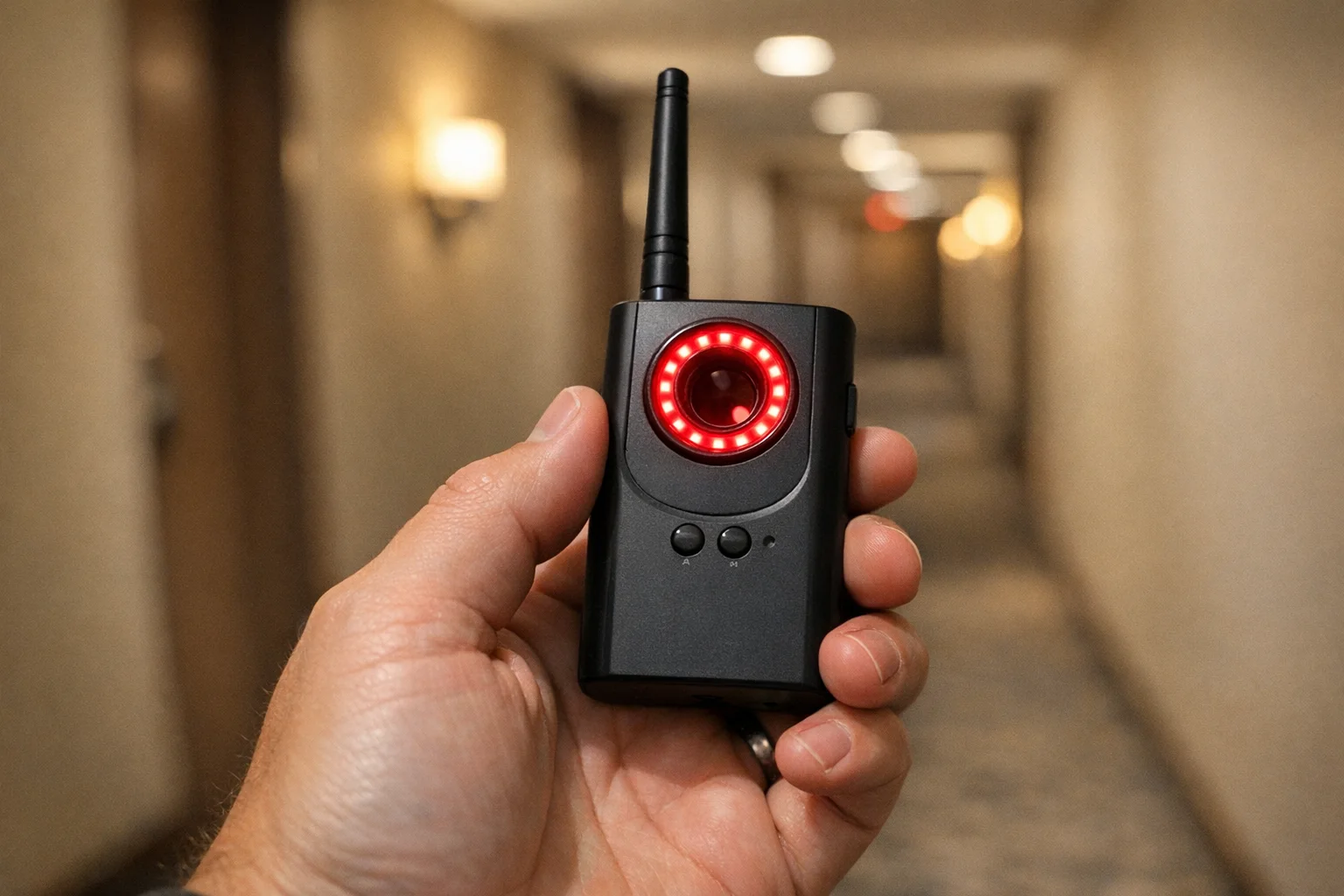
Navfalcon 2025 RF Detector
Best value RF upgrade
Higher sensitivity for RF-focused scans and fewer misses on battery-powered units.
- Improved RF filtering
- Longer scan reach
- Budget-sensitive option
We earn commissions from qualifying Amazon purchases. Full disclosure.
Get the free checklist
Printable hidden camera detection checklist + gear deals. Free, no spam.
Free updates. Unsubscribe anytime.
Frequently Asked Questions
How can I detect hidden cameras in my hotel room or Airbnb using just my phone?
What are the most common hiding spots for hidden cameras in accommodations?
Should I buy a dedicated hidden camera detector or is my phone enough?
What should I do if I find a hidden camera in my accommodation?
How can I protect my digital privacy while traveling alone as a woman?
What to Do Next
Related Guides
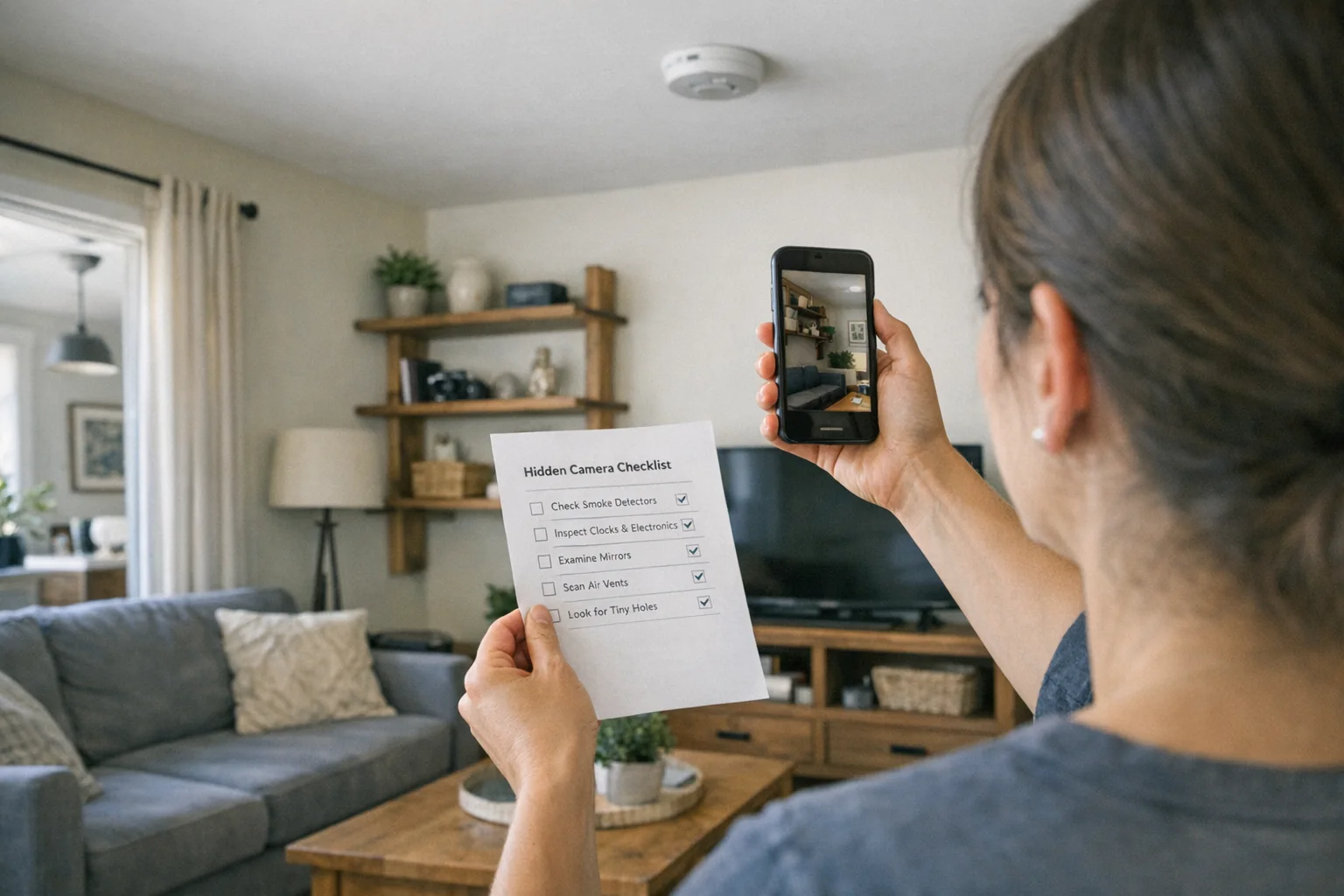
Best Hidden Camera Detector Apps (2026): iPhone & Android
The best hidden camera detector apps for iPhone and Android — what they find, what they miss, and when to upgrade to dedicated hardware.
Read guide
Workplace Surveillance Detection in Your Home Office (2026)
Methods to identify covert workplace monitoring at home, from software logs to unusual network activity and hidden devices, while protecting your privacy.
Read guide
How to Find Hidden Cameras with iPhone and Android (2026)
Use your iPhone or Android to detect hidden cameras with built-in tools. Step-by-step: flashlight sweep, IR check, WiFi scan, and when to upgrade to gear.
Read guide