Hotel Room Hidden Camera Check: 5-Minute Sweep Guide

Disclosure: This page contains affiliate links. We may earn a commission at no extra cost to you. We only recommend products we've tested or thoroughly researched. Full disclosure.
Key Takeaways
- A basic hidden camera sweep takes 5 minutes with just your phone.
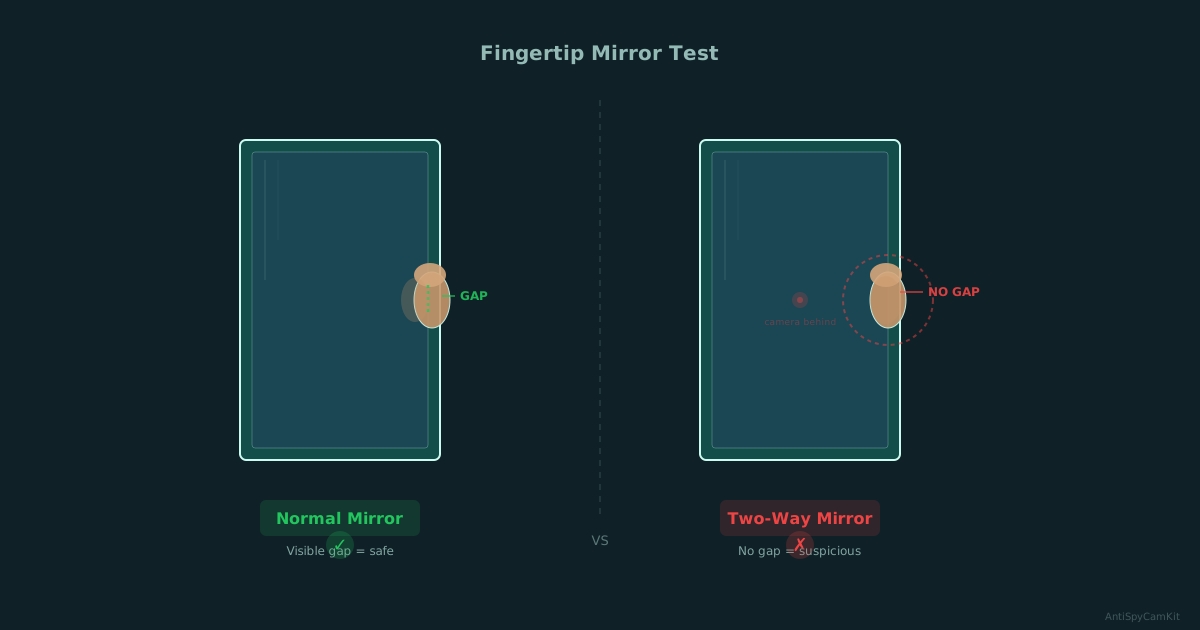
- The fingertip test instantly reveals two-way mirrors used to hide cameras.
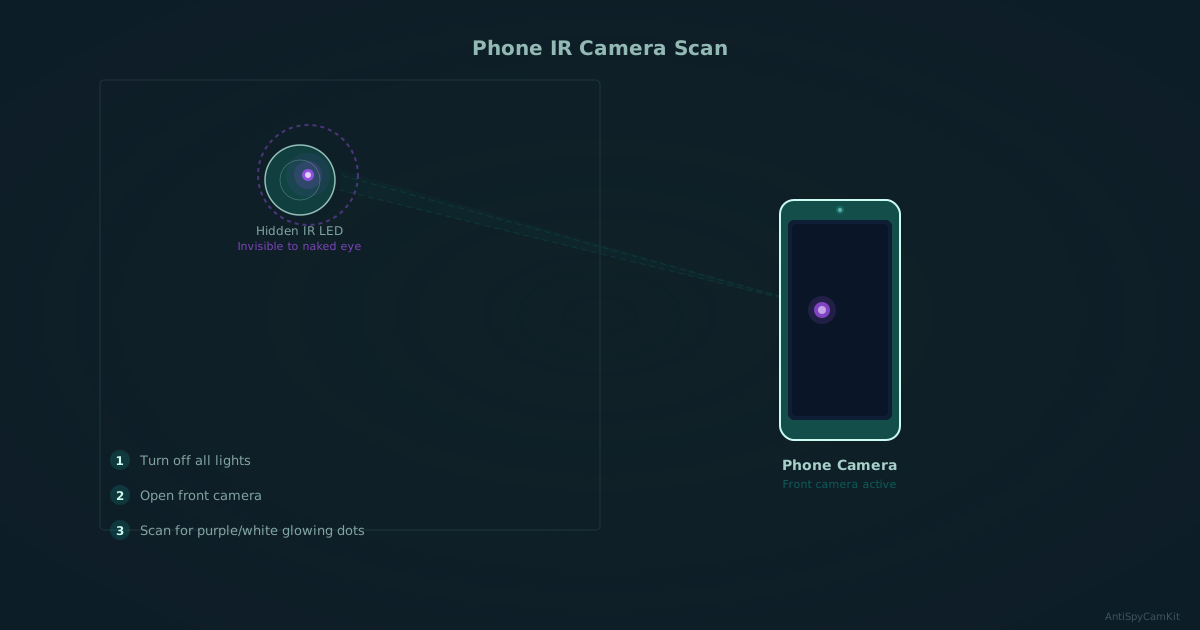
- Your phone's front camera detects infrared LEDs that night-vision cameras emit.
- Smoke detectors, USB chargers, and alarm clocks are the most common hiding spots.
Need the full method stack? Start with our How to Find Hidden Cameras: Complete 2026 Detection Guide, then use this page for scenario-specific steps.
Why should you check your hotel room for cameras?
Hidden cameras in rental accommodations are more common than most travelers realize. A 2024 survey found that 1 in 4 Airbnb guests have discovered a hidden camera, and nearly half of frequent travelers express concern about surveillance in their rooms.
In February 2026, a BBC Eye documentary (Exposed: China’s Spycam Porn) revealed professionally installed hidden cameras in multiple UK hotels, some hardwired into the building’s electrical system. These weren’t amateur setups — they were designed to avoid detection.
You don’t need to be paranoid. You need a system. This 5-minute sweep covers the most common hiding spots and detection methods, using nothing more than your smartphone.
How do you do a visual sweep of your hotel room?
The most effective first step is a systematic visual inspection. Walk through the room methodically, checking each area for anything that looks out of place.
The fingertip test for mirrors
This is the fastest check you can do. Touch any mirror in the room with your fingertip:
- Normal mirror: You’ll see a gap between your finger and the reflection. The reflective coating sits behind a layer of glass.
- Two-way mirror: Your finger appears to touch the reflection directly. The reflective coating is on the surface, allowing someone to see through from the other side.
Check every mirror, especially those facing the bed, shower, or dressing area. If a mirror fails the fingertip test, cover it with a towel and report it.
Smoke detectors and clocks
Smoke detectors are the single most common hiding spot for covert cameras. Real smoke detectors have visible sensor vents with a photoelectric or ionization sensor inside. Look for:
- Pinhole lenses (1-3mm diameter) that don’t match the detector’s design
- Multiple smoke detectors in one room — this is unusual
- Detectors positioned to face the bed rather than centered on the ceiling
Alarm clocks and digital clocks facing the bed are another frequent hiding spot. Examine them closely and consider turning them away or unplugging them.
USB chargers and power strips
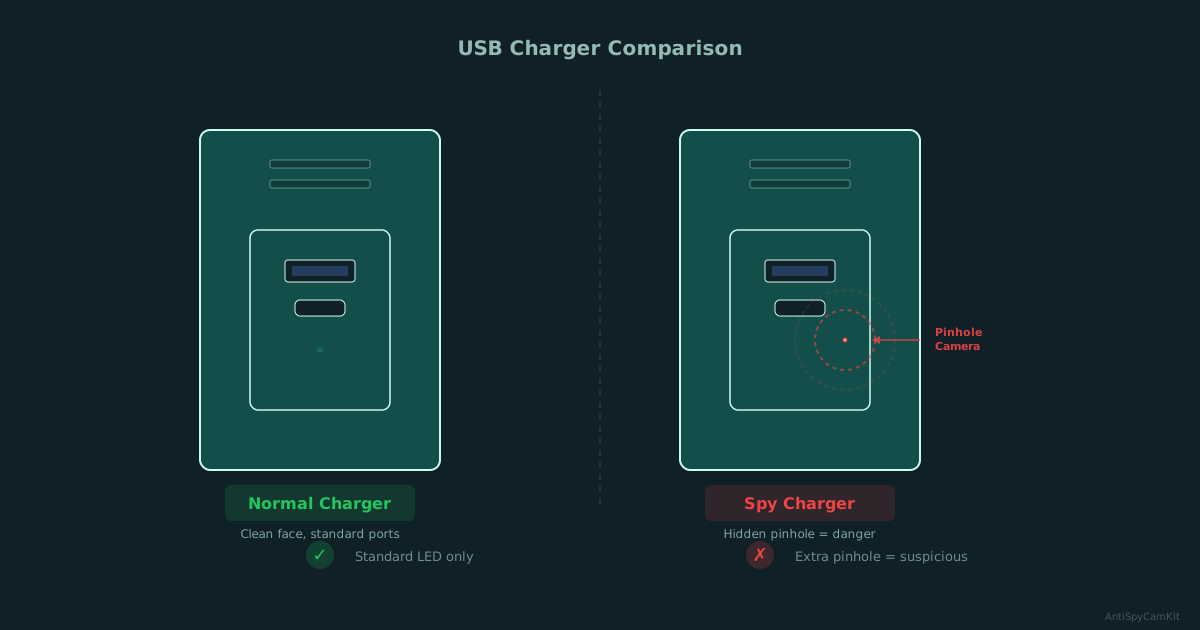
USB wall chargers are one of the most popular spy camera form factors sold online. A camera-equipped charger looks almost identical to a real one. Check any USB charger already plugged in when you arrive:
- Look for a tiny pinhole on the face of the charger
- Check if the charger feels heavier than normal
- Replace pre-installed chargers with your own if you’re unsure
Power strips near the bed can also conceal cameras. Inspect them and consider moving or unplugging suspicious ones.
Air vents and decorative items
Air vents are easy to overlook and provide a perfect hiding spot. Use your phone flashlight to illuminate inside each vent — a camera lens will reflect light as a distinct bright spot.
Also check:
- Picture frames facing the bed or bathroom
- Artificial plants or flower arrangements
- Air fresheners and decorative objects
- Stuffed animals or gift items
- Books or objects that seem oddly positioned
How can you use your phone to detect hidden cameras?
Your smartphone is a surprisingly effective detection tool, especially for cameras with infrared night vision. For a deeper iPhone/Android walkthrough, use our phone hidden camera detection guide.
Phone camera IR detection
Most night-vision cameras use infrared LEDs to see in the dark. These LEDs are invisible to the naked eye but visible to many phone cameras.
How to do it:
- Turn off all lights in the room — make it as dark as possible
- Open your phone’s camera app
- Use the front-facing camera — it typically lacks an IR filter, making it more sensitive to infrared light
- Slowly scan every surface, corner, and object in the room
- Look for small purple or white glowing dots on your screen
If you see a glowing dot that isn’t visible to your naked eye, investigate that spot closely. It’s likely an IR LED from a camera.
Wi-Fi network scanning
Wireless cameras need to connect to a network. Use a free app like Fing (available on iOS and Android) to scan the local Wi-Fi network:
- Connect to the room’s Wi-Fi
- Run a network scan
- Look for devices with camera-related manufacturer names
- Note any unfamiliar devices — cameras often appear as generic IoT devices
This won’t catch cameras on a separate network or those that record locally, but it’s a quick check.
Magnetic field detection
Some phone-based detection apps use your phone’s magnetometer to detect the electromagnetic fields produced by electronic devices. While less reliable than visual or IR methods, it can help identify hidden electronics in walls or objects.
Walk slowly around the room with the app running and investigate any strong readings near suspicious locations.
What dedicated detector devices work best?
For travelers who want more thorough protection, dedicated detection devices significantly improve your chances of finding hidden cameras.
RF (Radio Frequency) detectors
RF detectors scan for wireless signals emitted by transmitting cameras. They’re effective against Wi-Fi cameras and cellular-connected cameras. A good RF detector costs $20-40 and can sweep a room in minutes.
Limitations: RF detectors cannot find cameras that record to a local SD card or are hardwired. They also pick up signals from legitimate devices (phones, routers), so you need to learn to distinguish these.
Lens finders
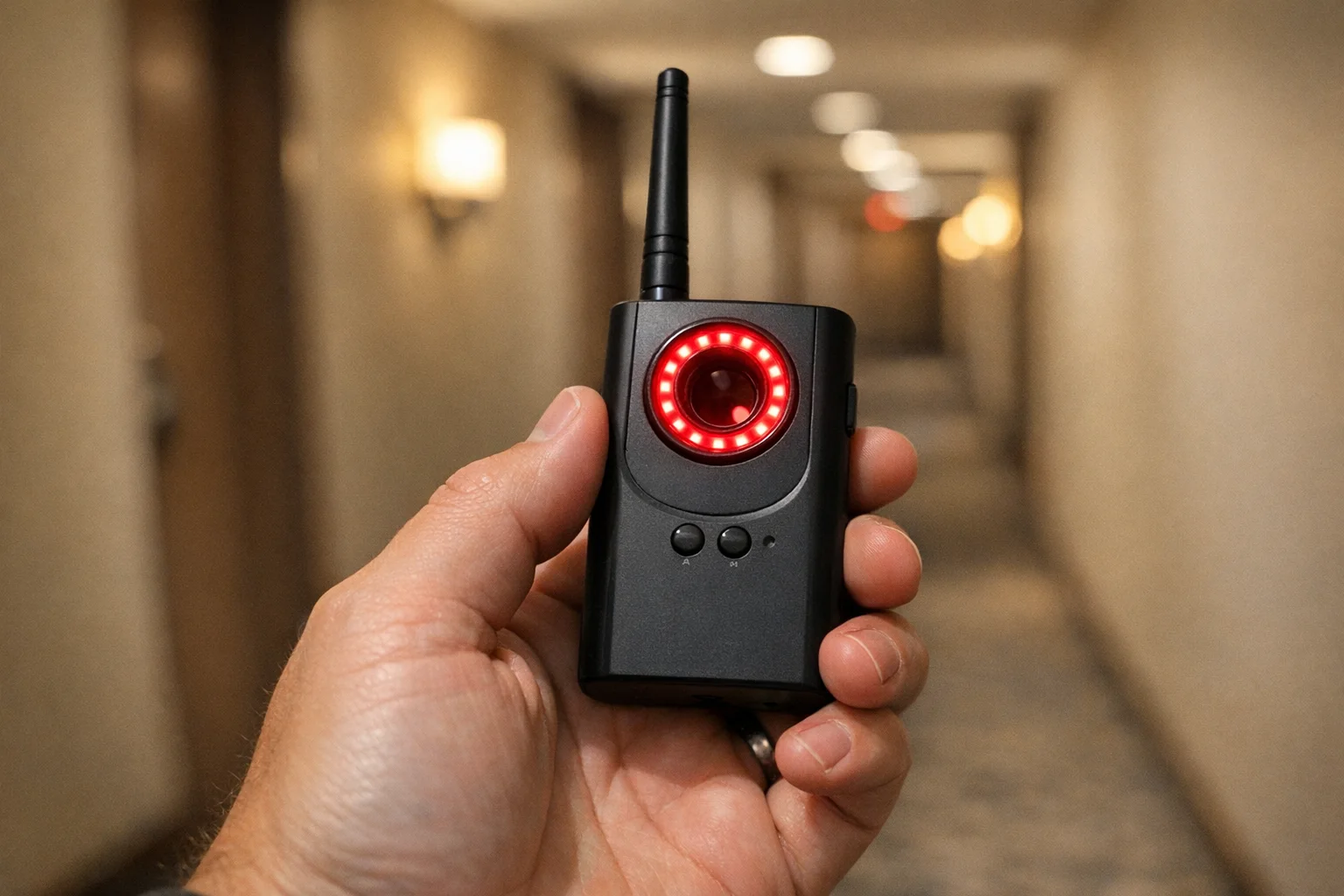
Lens finders use a ring of red LEDs to create a bright reflection off any camera lens in the room. You look through a viewfinder while the LEDs flash, and any lens in your field of view will produce a bright, distinctive glint.
Lens finders work on all cameras, regardless of whether they’re wireless or wired, on or off. They’re one of the most reliable detection tools available. Budget models start around $25.
For detailed product recommendations, see our best hidden camera detectors guide. For Airbnb-specific advice, see our complete Airbnb guide.
What can’t consumer detectors find?
The 2026 BBC Eye investigation is a critical reality check. Their team found professionally installed cameras that:
- Were hardwired into the building’s electrical system with no wireless signal
- Used pinhole lenses smaller than 1mm, extremely difficult to spot visually
- Were embedded in permanent fixtures like ceiling tiles and bathroom fittings
- Had no IR illumination, relying on ambient light
Consumer RF detectors missed these entirely. Only professional-grade spectrum analyzers and physical inspection by trained investigators found them.
This doesn’t mean your sweep is pointless — the vast majority of hidden cameras in accommodation are consumer-grade devices purchased online. Your 5-minute sweep will catch most of them. But if you’re in a high-risk situation, consider professional debugging services.
What should you do if you find a hidden camera?
Finding a camera is alarming, but it’s important to respond correctly:
- Don’t touch or remove it. It’s evidence. Disturbing it could compromise a criminal investigation.
- Take photos and video of the camera and its location from multiple angles.
- Note the exact position — which direction it faces, what it can see.
- Leave the room and contact hotel management or the property host.
- Call local police and file a report. Hidden cameras in private spaces are a criminal offense in most jurisdictions.
- Report to the platform (Airbnb, Booking.com, etc.) with your evidence.
- Document everything — dates, times, who you spoke to, reference numbers.
If you’re in an Airbnb, the platform’s updated April 2024 policy bans all indoor cameras entirely — not just in bedrooms and bathrooms, but anywhere inside a listing. Airbnb should relocate you immediately and investigate the host.
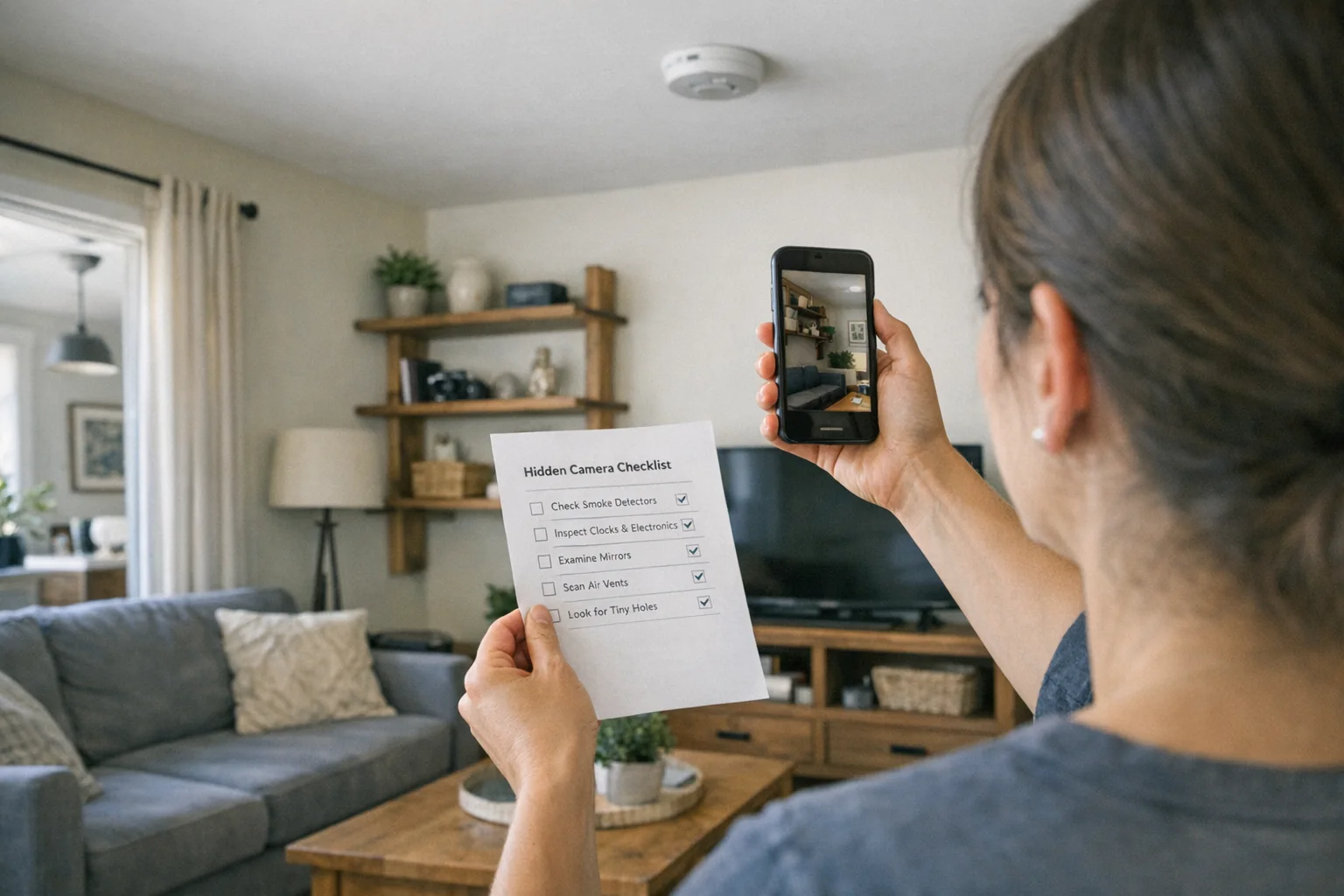
Quick reference: the 5-minute sweep checklist
Run through this sequence every time you check into a new room:
- Mirrors — Fingertip test on every mirror
- Smoke detectors — Look for pinholes, check positioning
- USB chargers — Inspect or replace pre-installed chargers
- Clocks & electronics — Check anything facing the bed
- Phone IR scan — Lights off, front camera, scan all surfaces
- Wi-Fi scan — Run Fing or similar app on room network
- Bathroom — Check vents, fixtures, mirrors, hooks
- Decorative items — Inspect anything with line of sight to key areas
For an interactive version of this checklist, try our free sweep checklist. Need gear? See our best hidden camera detectors.
Smart Picks
Smart Picks for This Guide
We curated this short shelf from high-performing recommendations for faster buying decisions.

SpyFinder Pro
Most accurate lens detection
Best when you need confident detection of hidden wired and non-transmitting devices.
- Consistent lens performance
- Clear pass/fail indicator
- Strong build quality

JMDHKK K18+
Most complete detection method
Four detection modes for quick room sweeps in hotels, Airbnbs, and rentals.
- RF + lens + magnetic + audio
- Affordable
- Simple sensitivity controls
Navfalcon 2025 RF Detector
Best value RF upgrade
Higher sensitivity for RF-focused scans and fewer misses on battery-powered units.
- Improved RF filtering
- Longer scan reach
- Budget-sensitive option
We earn commissions from qualifying Amazon purchases. Full disclosure.
Get the free checklist
Printable hidden camera detection checklist + gear deals. Free, no spam.
Free updates. Unsubscribe anytime.
Frequently Asked Questions
Can my phone detect hidden cameras?
What is the fingertip test for mirrors?
Where are hidden cameras most commonly found in hotels?
Are hidden cameras legal in Airbnbs?
Do RF detectors find all hidden cameras?
What to Do Next
Related Guides
Best Hidden Camera Detector Apps (2026): iPhone & Android
The best hidden camera detector apps for iPhone and Android — what they find, what they miss, and when to upgrade to dedicated hardware.
Read guide
Workplace Surveillance Detection in Your Home Office (2026)
Methods to identify covert workplace monitoring at home, from software logs to unusual network activity and hidden devices, while protecting your privacy.
Read guide
How to Find Hidden Cameras with iPhone and Android (2026)
Use your iPhone or Android to detect hidden cameras with built-in tools. Step-by-step: flashlight sweep, IR check, WiFi scan, and when to upgrade to gear.
Read guide