How to Perform a Full Room Sweep for Hidden Cameras (2026)

Disclosure: This page contains affiliate links. We may earn a commission at no extra cost to you. We only recommend products we've tested or thoroughly researched. Full disclosure.
Need the full method stack? Start with our How to Find Hidden Cameras: Complete 2026 Detection Guide, then use this page for scenario-specific steps. If you want a shorter pre-check before a full sweep, run How to Check for Hidden Cameras first.
Hidden cameras can be anywhere—and a quick glance around the room isn’t enough to find them. A systematic room sweep using proven detection techniques can uncover even professionally concealed surveillance devices in 15-30 minutes per room.
Whether you’re concerned about privacy at home, checking a rental property, or investigating suspicious activity, this guide provides the complete methodology used by security professionals to conduct thorough hidden camera sweeps.
What You’ll Learn
- Professional sweep methodology — Step-by-step room clearance techniques
- Essential detection tools — What equipment you need and how to use it effectively
- Room-specific strategies — Different approaches for bedrooms, bathrooms, living areas
- Advanced detection methods — RF scanning, network analysis, and infrared techniques
- What to do when you find cameras — Documentation, removal, and legal considerations
Why Do You Need a Full Room Sweep?
Most people only check obvious hiding spots—and miss 70% of concealed cameras.
Hidden cameras have become smaller, cheaper, and more sophisticated. Modern spy cameras can be disguised as everyday objects, operate wirelessly, or record for weeks on battery power. A casual look around the room won’t find:
- Pinhole cameras hidden in walls, fixtures, or furniture
- Wireless devices that don’t emit obvious signals
- Motion-activated cameras that remain dormant until triggered
- Professional installations designed to evade basic detection
The techniques in this guide are based on methods used by counter-surveillance professionals and private investigators. They work whether you’re dealing with amateur installations or sophisticated surveillance equipment.
Real-world statistics: A 2023 International Privacy Forum report found that 1 in 8 short-term rental properties tested contained at least one unauthorized recording device — underscoring why thorough room sweeps matter. Bedrooms and bathrooms remain the most common locations for unauthorized surveillance.
What Equipment Do You Need?
Before starting your sweep, gather the right detection tools. You don’t need expensive professional equipment, but having the proper gear makes the difference between finding cameras and missing them.
Essential Tools
RF Detector ($20-100): Detects wireless signals from cameras transmitting data. Look for devices that scan multiple frequency ranges and provide audio/visual alerts.
High-powered Flashlight: Essential for spotting lens reflections. LED flashlights work best—avoid phone flashlights which are often too weak.
Smartphone with Detection App: Apps like “Hidden Camera Detector” use your phone’s sensors to identify suspicious devices and magnetic fields.
Professional-Grade Options
For comprehensive detection, consider these advanced tools:
K18 Multi-Function RF Detector
Budget Pick
Detects RF signals, finds lens reflections, and includes magnetic field detection in one device
Compare price and specs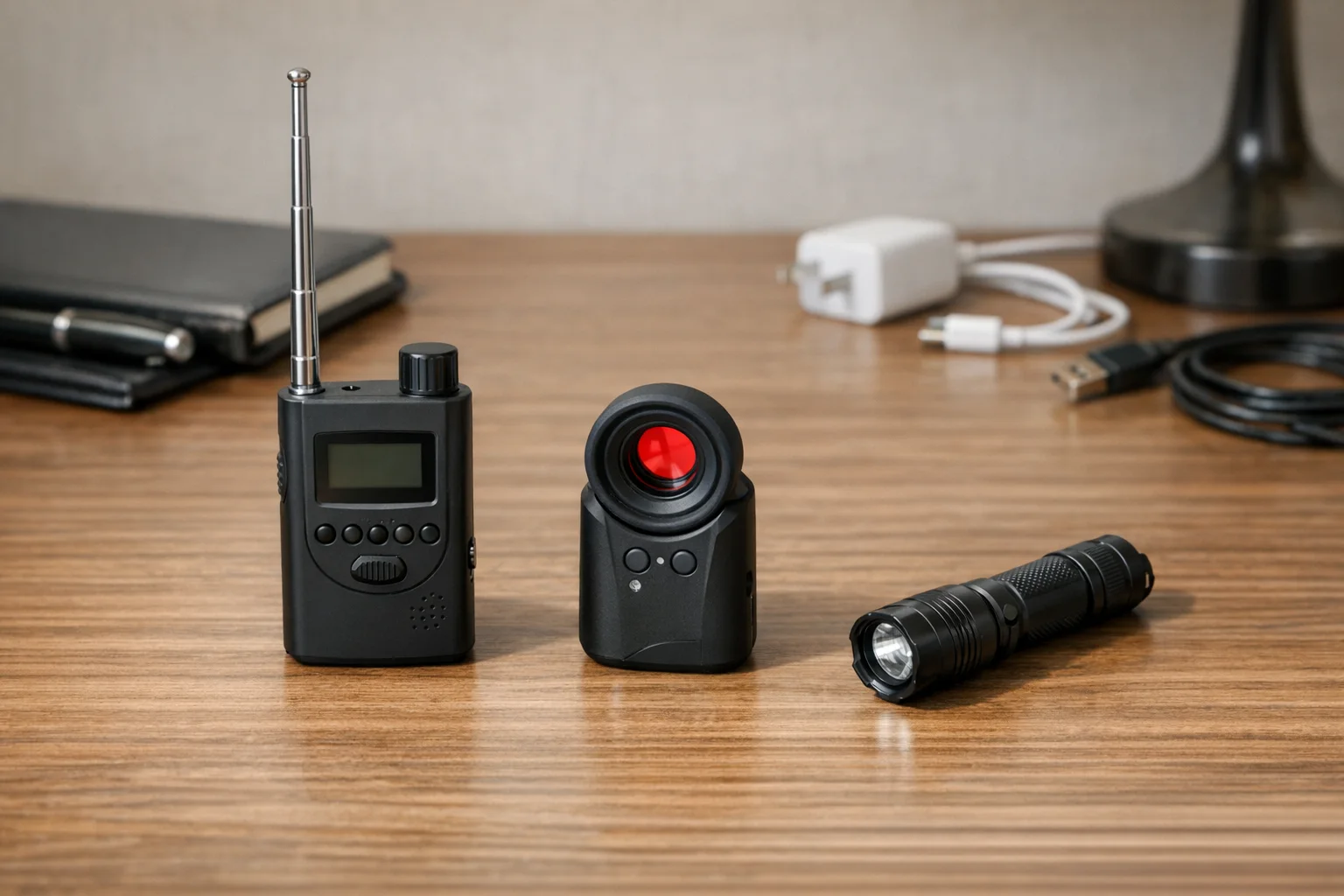
SpyFinder Pro Hidden Camera Detector
Premium Pick
Professional-grade lens detection with adjustable sensitivity for different lighting conditions
Compare price and specsInfrared Scanner: Detects heat signatures from cameras with night vision capabilities. Useful for finding cameras that may not emit RF signals.
Network Scanner: Software tools that identify suspicious devices connected to WiFi networks.
How to Conduct a Systematic Room Sweep
Start with the room you’re most concerned about—typically bedrooms, bathrooms, or home offices where privacy is critical.
The key to effective detection is following a systematic pattern rather than randomly looking around. Professional sweeps use a methodical approach that ensures no area is missed.
Phase 1: Initial Visual Inspection (5-8 minutes)
Begin with a careful visual scan to identify obvious threats and suspicious items.
Scan at eye level first: Walk the perimeter of the room, looking for:
- Unusual objects that don’t belong or seem out of place
- New items you don’t remember installing or bringing into the room
- Objects with small holes that could conceal camera lenses
- Decorative items positioned to have a clear view of private areas
Check common hiding spots:
- Smoke detectors and carbon monoxide alarms
- Wall outlets and USB chargers
- Picture frames, especially those facing beds or seating areas
- Clock radios and electronic devices
- Stuffed animals, plants, and decorative objects
- Light fixtures and ceiling fans
Look for tell-tale signs:
- Tiny LED lights that shouldn’t be there
- Unusual wiring or cables
- Objects that have been moved or rotated toward private areas
- Dust patterns that suggest recent installation
Phase 2: RF Signal Detection (8-10 minutes)
Use your RF detector to scan for wireless transmissions from hidden cameras.
Proper scanning technique:
- Turn off unnecessary electronics — TVs, routers, and appliances can interfere with detection
- Start in one corner and work systematically around the room
- Move slowly — RF detectors need time to pick up intermittent signals
- Check at multiple heights — scan floor level, eye level, and ceiling level
- Listen for audio patterns — steady beeping often indicates camera transmissions
Pay special attention to:
- Areas with strong signal readings
- Locations where signals increase when you approach specific objects
- Intermittent signals that may indicate motion-activated cameras
Pro tip: Some cameras only transmit when recording. Wave your hand near suspicious areas to trigger motion-activated devices while scanning.
Phase 3: Lens Detection with Flashlight (5-7 minutes)
Camera lenses reflect light in distinctive ways, making flashlight scanning one of the most reliable detection methods.
Effective flashlight technique:
- Dim the room lighting to maximize reflection visibility
- Hold the flashlight at eye level near your face for optimal reflection angles
- Scan systematically using slow, overlapping sweeps
- Look for small bright reflections — camera lenses appear as tiny blue or white glints
- Check suspicious reflections closely — legitimate glass surfaces reflect differently than camera lenses
Focus on likely concealment areas:
- Behind decorative objects and picture frames
- Inside air vents and light fixtures
- Around mirrors and reflective surfaces
- In corners where walls meet ceilings
- Behind electronics and appliances
What to look for: Camera lenses create small, concentrated reflections that remain visible from multiple angles, unlike normal glass or mirrors which only reflect from specific positions.
Room-Specific Sweep Strategies
Different rooms require tailored approaches based on their layout, purpose, and common hiding spots.
Bedroom Sweep Protocol
Bedrooms are the highest-risk area for unauthorized surveillance, requiring the most thorough inspection.
Critical areas to check:
- Ceiling fixtures — Light fixtures, fans, smoke detectors positioned above the bed
- Electronics facing the bed — Alarm clocks, TVs, charging stations, air purifiers
- Furniture with sight lines — Dressers, nightstands, chairs positioned to view sleeping areas
- Decorative items — Picture frames, plants, books, or objects on shelves facing the bed
- Wall outlets near the bed or dressing areas
Special considerations:
- Check inside lamp shades and behind headboards
- Examine any new electronics or gifts received recently
- Look for pinhole cameras in walls, especially rental properties
- Use RF detection during different times of day — some cameras only activate at night
Time requirement: 20-30 minutes for thorough bedroom sweep
Bathroom Sweep Protocol
Bathrooms present the highest privacy concerns and often have limited obvious hiding spots, making concealed cameras easier to detect with proper technique.
Priority areas:
- Exhaust fans and vents — Common concealment location with power access
- Light fixtures — Particularly recessed lighting or fixtures above mirrors
- Toiletry containers — Shampoo bottles, soap dispensers, or personal care items
- Towel hooks and hangers — Small cameras can be hidden in mounting hardware
- Mirror areas — Check for two-way mirrors or cameras hidden behind decorative frames
Detection tips:
- Bathroom acoustics amplify electronic sounds — listen for faint buzzing or clicking
- Steam from hot showers can fog camera lenses — look for clear spots on mirrors after steamy showers
- Check battery-powered items that could house hidden cameras
Time requirement: 10-15 minutes (smaller space, fewer hiding spots)
Living Room and Common Area Sweep
Living rooms offer numerous concealment opportunities but also more legitimate electronics that can interfere with detection equipment.
Strategic focus areas:
- Entertainment systems — TV areas, cable boxes, gaming consoles, sound systems
- Seating areas — Objects positioned to view couches, chairs, and conversation areas
- Window treatments — Curtain rods, blinds, and decorative elements
- Bookshelves and display areas — Books, decorative objects, or electronics on shelves
- HVAC vents — Air return vents and heating/cooling registers
Detection challenges:
- Multiple legitimate electronics can cause RF interference
- Larger spaces require more systematic scanning patterns
- Guest access areas need extra scrutiny
Time requirement: 25-35 minutes (larger space, more potential hiding spots)
Advanced Detection Techniques
For suspicious situations or high-security needs, these professional-grade techniques provide deeper investigation capabilities.
Network Analysis Method
Many modern cameras connect to WiFi for remote monitoring, making network scanning a powerful detection tool.
Step-by-step process:
- Download a network scanner app like “WiFi Analyzer” or “Network Scanner”
- Connect to the local WiFi network you want to investigate
- Run a complete network scan to identify all connected devices
- Look for suspicious device names like “IPCam,” “IPCAMERA,” or generic manufacturer names
- Check for devices with unknown MAC addresses or unusual data usage patterns
Red flags to investigate:
- Devices named with camera-related terms
- Unknown devices that appeared recently on the network
- Devices consuming significant bandwidth when no obvious activity is occurring
- Equipment with MAC addresses from camera manufacturers (Axis, Hikvision, Dahua)
Infrared Scanning for Night Vision Cameras
Night vision cameras emit invisible infrared light that can be detected with proper equipment or smartphone cameras.
Detection method:
- Darken the room completely — Close curtains and turn off all lights
- Use an infrared scanner or smartphone camera — Some phone cameras can see IR light
- Scan systematically looking for small glowing spots that indicate IR illuminators
- Check suspicious areas closely — IR light appears as dim red or purple glow on camera screens
Limitations: Only works with cameras that have active infrared illumination. Many modern cameras use ambient light sensors instead.
What to Do When You Find Hidden Cameras
If you discover unauthorized surveillance equipment, proper documentation and response procedures protect your legal rights and personal safety.
Immediate Response Steps
1. Document everything before touching anything
- Take photos/videos of the camera location and positioning
- Record serial numbers or identifying marks if visible
- Note the time, date, and circumstances of discovery
- Photograph the surrounding area showing the camera’s field of view
2. Secure the area safely
- Cover the camera lens with tape or cloth without removing the device
- Do not disconnect power or remove the camera — this may destroy evidence
- Keep others away from the area until proper authorities can investigate
3. Contact appropriate authorities
- Law enforcement if you believe a crime has been committed
- Building management if you’re in a rental property or hotel
- Legal counsel if you need advice about privacy violations
- Platform companies (Airbnb, VRBO) if you’re in a vacation rental
Evidence Preservation
Proper evidence handling is crucial for potential legal proceedings or investigations.
What to document:
- Camera location and installation method
- Any recording equipment or storage devices found
- WiFi network information if the camera was connected
- Timeline of when the camera might have been installed
- Any individuals who had access to install surveillance equipment
What NOT to do:
- Don’t attempt to access recorded content yourself
- Don’t remove or dismantle the equipment
- Don’t confront suspected individuals without legal advice
- Don’t post about the discovery on social media until advised by authorities
Preventing Future Surveillance
Once you’ve completed your sweep, implement security measures to detect and deter future unauthorized surveillance attempts.
Regular Sweep Schedule
Establish a routine inspection pattern based on your risk level and circumstances:
- Monthly sweeps for high-privacy situations or after having service workers in your home
- Quarterly sweeps for general peace of mind and ongoing security
- Immediate sweeps after any suspicious activity or concerns about privacy
Physical Security Improvements
Make unauthorized camera installation more difficult:
- Install tamper-evident tape on smoke detectors and fixtures
- Secure WiFi networks with strong passwords and guest network isolation
- Consider security cameras in common areas to monitor for unauthorized access
- Use smart home devices that alert you to network changes
Technology Solutions
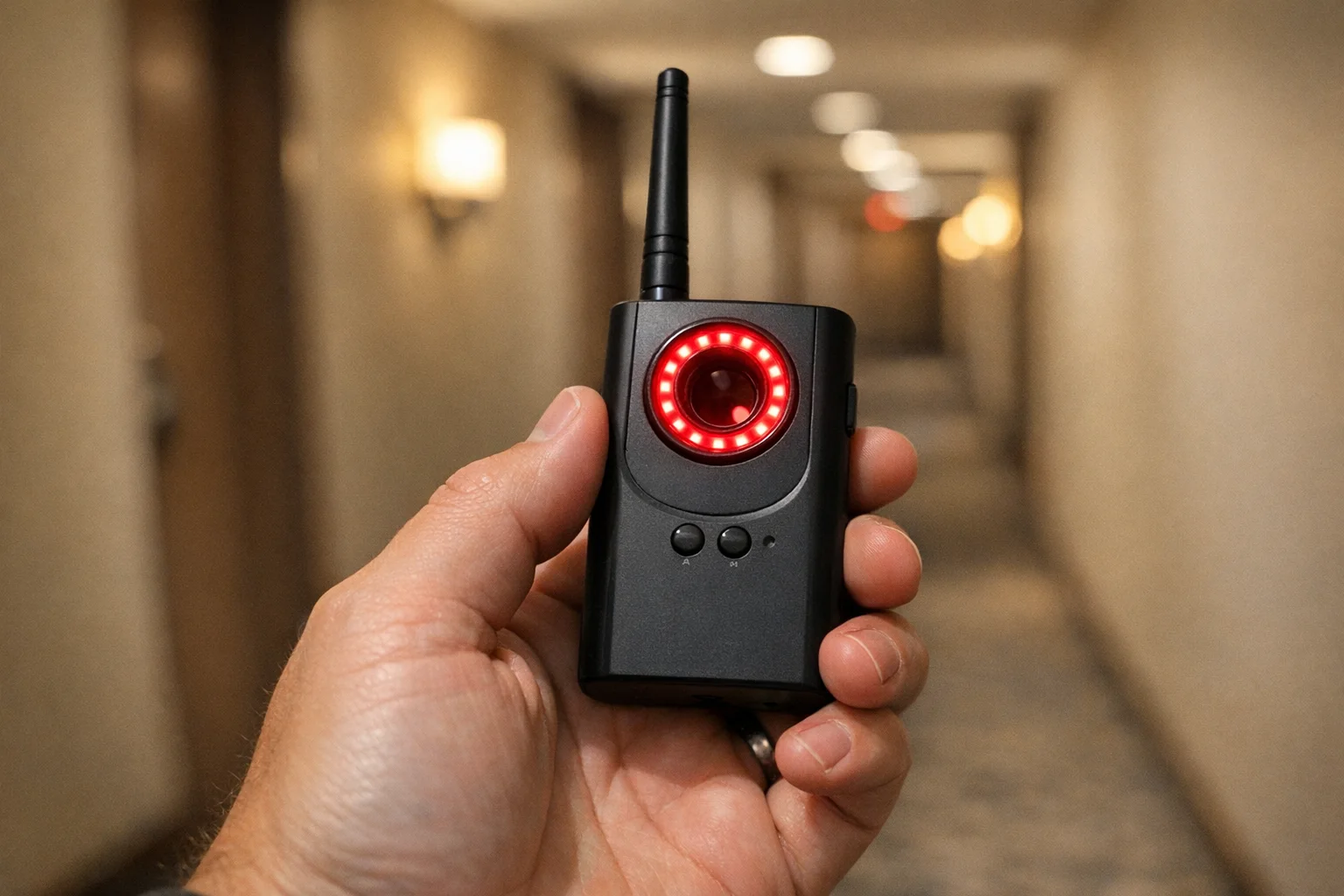
Hidden Camera Detector & RF Scanner
Budget Pick
Affordable combination device for regular sweeps with both RF detection and lens finding capabilities
Compare price and specs Network Security Monitor
Premium Pick
Continuously monitors your network for unauthorized devices and suspicious activity patterns
Compare price and specsFrequently Asked Questions
How long does a complete room sweep take?
A thorough room sweep takes 15-30 minutes per room depending on size and complexity. Allow 45-60 minutes for bedrooms and living areas with more furniture and electronics. Professional investigators typically spend 20-25 minutes per room using systematic techniques.
What equipment do I need for a room sweep?
Essential tools include an RF detector ($20-100), flashlight, smartphone with camera detector app, and optionally infrared scanner or lens finder for comprehensive detection. Professional-grade equipment provides better results but basic tools can find most hidden cameras.
Can hidden cameras work without WiFi?
Yes, many hidden cameras use internal storage, batteries, or wired connections. A complete sweep must check for both wireless and non-wireless devices using multiple detection methods including visual inspection and RF scanning.
Should I sweep every room in my house?
Focus on private spaces first: bedrooms, bathrooms, home offices, and living rooms. Then check entry points, guest rooms, and common areas where outsiders have had access. Prioritize based on privacy concerns and recent access by others.
What’s the difference between a basic check and a full sweep?
A basic check looks for obvious cameras, while a full sweep uses systematic methodology with proper tools to detect hidden, disguised, or professionally installed surveillance devices. Full sweeps take longer but find cameras that casual inspection misses.
What to Do Next
Your privacy and security are worth the time investment in learning proper detection techniques. Start with the room that concerns you most, gather the essential detection tools, and follow the systematic sweep methodology outlined in this guide.
Remember: Hidden camera technology continues evolving, so stay informed about new concealment methods and detection techniques. The FTC’s privacy and consumer protection guidelines provide important information about your rights. If you find unauthorized surveillance equipment, prioritize your safety and legal rights by following proper documentation and reporting procedures.
For immediate peace of mind, conduct your first full room sweep this week focusing on your bedroom and bathroom — the areas where privacy violations have the greatest impact. Use our hotel/Airbnb checklist version when you want a faster room-by-room sequence, and follow the new-home surveillance cleanup guide if you’re sweeping after a move.
Related Guides
Smart Picks
Smart Picks for This Guide
We curated this short shelf from high-performing recommendations for faster buying decisions.
SpyFinder Pro
Most accurate lens detection
Best when you need confident detection of hidden wired and non-transmitting devices.
- Consistent lens performance
- Clear pass/fail indicator
- Strong build quality

JMDHKK K18+
Most complete detection method
Four detection modes for quick room sweeps in hotels, Airbnbs, and rentals.
- RF + lens + magnetic + audio
- Affordable
- Simple sensitivity controls
Navfalcon 2025 RF Detector
Best value RF upgrade
Higher sensitivity for RF-focused scans and fewer misses on battery-powered units.
- Improved RF filtering
- Longer scan reach
- Budget-sensitive option
We earn commissions from qualifying Amazon purchases. Full disclosure.
Get the free checklist
Printable hidden camera detection checklist + gear deals. Free, no spam.
Free updates. Unsubscribe anytime.
Frequently Asked Questions
How long does a complete room sweep take?
What equipment do I need for a room sweep?
Can hidden cameras work without WiFi?
Should I sweep every room in my house?
What's the difference between a basic check and a full sweep?
What to Do Next
Related Guides
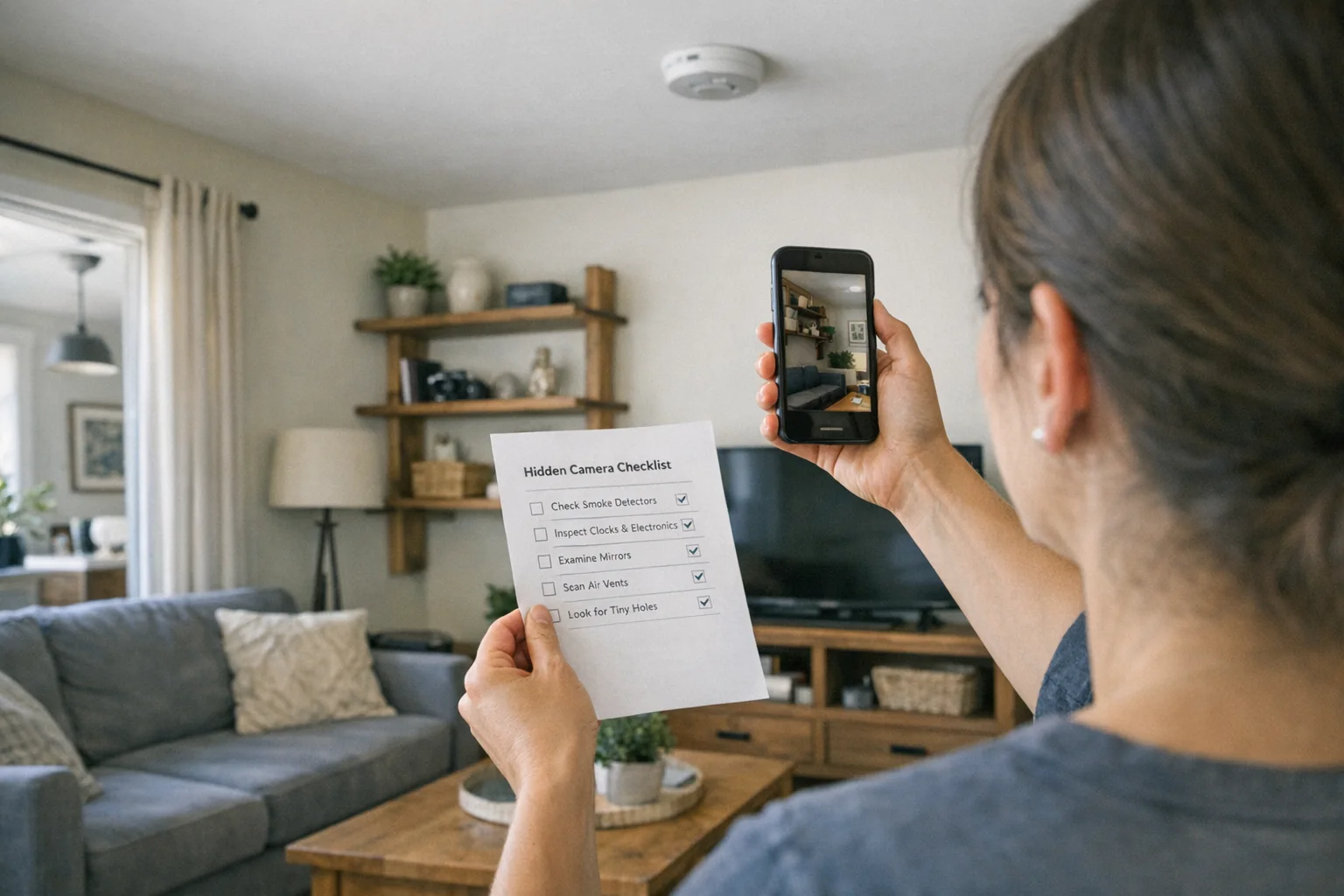
Best Hidden Camera Detector Apps (2026): iPhone & Android
The best hidden camera detector apps for iPhone and Android — what they find, what they miss, and when to upgrade to dedicated hardware.
Read guide
Workplace Surveillance Detection in Your Home Office (2026)
Methods to identify covert workplace monitoring at home, from software logs to unusual network activity and hidden devices, while protecting your privacy.
Read guide
How to Find Hidden Cameras with iPhone and Android (2026)
Use your iPhone or Android to detect hidden cameras with built-in tools. Step-by-step: flashlight sweep, IR check, WiFi scan, and when to upgrade to gear.
Read guide