How to Find Hidden Cameras in an Airbnb: 2026 Guide

Disclosure: This page contains affiliate links. We may earn a commission at no extra cost to you. We only recommend products we've tested or thoroughly researched. Full disclosure.
Key Takeaways
- Airbnb banned all indoor cameras in April 2024 — any you find are a policy and likely legal violation.
- A flashlight lens sweep in a dark room is the single most effective free method.
- Wi-Fi scanning apps like Fing reveal connected cameras in under 2 minutes.
- No single method catches everything — combine visual, IR, Wi-Fi, and RF for full coverage.
Need the full method stack? Start with our How to Find Hidden Cameras: Complete 2026 Detection Guide, then use this page for scenario-specific steps.
Recent investigations by BBC World Service (June 2023) and BBC News (March 2024) exposed how spy cameras in rental properties have become a growing privacy nightmare—and Airbnb bookings are prime targets. Despite Airbnb’s ban on indoor cameras implemented as of April 2024, illegal surveillance continues. Here’s exactly how to protect yourself using professional detection methods you can deploy in minutes.
Quick Pick: In a rush? The Aroeally 4-in-1 Detector (~$35) covers RF, lens, magnetic, and visual detection in one pocket-sized device — scan your entire Airbnb in under 5 minutes.
What You’ll Learn
- Airbnb’s April 2024 camera ban — what changed and what still isn’t covered
- Before you book: red flags in reviews, host profiles, and listing photos
- How to report hidden cameras to Airbnb — step-by-step process and refund leverage
- Documenting for refunds — what evidence Airbnb requires and how to escalate
- Understanding host liability — when confrontation is safe and when to just report
- What “disclosure” actually means — and when hosts violate the policy
Airbnb’s April 2024 Indoor Camera Ban: What Actually Changed
As of April 30, 2024, Airbnb implemented a comprehensive ban on all indoor cameras. This is the most significant privacy policy change in the platform’s history. But understanding what it covers (and what it doesn’t) is critical for your protection.
What’s NOW Banned
Effective April 30, 2024:
- All hidden cameras in any indoor space
- Cameras in bedrooms, bathrooms, living areas — anywhere indoors is prohibited
- Cameras in common spaces if undisclosed (hosts can no longer claim “security” justification)
- Recording audio without explicit consent (even if video is allowed)
What’s STILL Allowed (With Disclosure)
These are technically legal if properly disclosed in the listing:
- Outdoor cameras (doorbell cameras, porch surveillance, yard cameras)
- Cameras in common areas only (living room/dining only, no bedrooms/bathrooms)
- Cameras must be clearly visible, not hidden or disguised
- Hosts MUST disclose in the listing: exact location, what the camera sees, why it’s there
The critical word: “disclosed.” If it’s in the listing and visible, it’s legal. If it’s hidden or undisclosed, it violates Airbnb policy and likely local law.
Why Hosts Keep Breaking the Ban
Even with the ban in place:
- Hosts can claim “I forgot to remove it” or “It was already here”
- Enforcement is complaint-based (Airbnb only investigates if guests report)
- Penalties vary (from warning to removal, rarely prosecution)
- Previous recordings may already exist and be shared
- Some hosts simply ignore the policy believing the risk is worth it
This is why your personal detection matters: Airbnb’s ban only works if guests report violations. You’re the enforcement mechanism.
Before You Book: Vetting Airbnb Listings for Hidden Camera Risk
Prevention is infinitely better than detection. Smart pre-booking research eliminates most high-risk properties before you ever arrive.
Red Flags in Listing Photos and Descriptions
Suspicious camera indicators in photos:
- Excessive security equipment visible (multiple devices, professional monitoring setups)
- Close-up professional photos of bedrooms/bathrooms (unusual framing)
- Photos taken from angles that seem like surveillance angles
- Smart displays visible in private areas (Echo Show, Nest Hub, security systems)
- Host mentioning “advanced security” or “monitoring” without specifics
Suspicious host profile signals:
- Recently created profile with very few reviews
- Reviews mentioning “privacy concerns,” “felt watched,” “uncomfortable,” “hidden cameras”
- Host responses to privacy questions that seem evasive or defensive
- Multiple guests canceling immediately after arrival (suggests cameras found)
- Host who seems overly interested in guest activities/schedules
Listing description red flags:
- Vague mention of “security system” without specifics
- “Owner nearby and may check property” (access opportunity)
- Photos showing what look like concealment items positioned oddly
- No clear list of what “devices” are in the rental
- Listing that’s been reposted multiple times (previous guests complained)
How to Read Reviews for Privacy Clues
Search for these keywords in reviews:
- “Camera” (look for context — legitimate or suspicious?)
- “Watched,” “uncomfortable,” “unsafe,” “privacy”
- “Host came in without knocking” (access patterns)
- “Devices we didn’t expect” (discovery of equipment)
- “Felt like being monitored”
Also note:
- Very high ratings but vague reviews (potential fake reviews)
- Reviews from long-term guests who wouldn’t have discovered cameras
- Lack of recent reviews (could mean property was taken down)
- Female travelers’ reviews specifically (they often mention privacy concerns)
Checking the Airbnb Listing Itself
Before booking, verify:
- Does the listing disclose cameras? Look for “Cameras and/or recording devices” disclosure
- If cameras are disclosed, where exactly? (Outdoor only = good; bedroom = avoid)
- Are there photos of recording equipment? (Legitimate hosts show what they have)
- Does it say “No cameras”? (This is what you want, but verify at arrival)
Smart pre-booking questions to ask the host:
- “Are there any cameras in the property? If yes, where and what do they record?”
- “Are there any smart home devices (Echo, Nest, etc.)?”
- “Will you or any staff enter the bedroom/bathroom during the stay?”
- Get their answers in writing through Airbnb messaging
Booking Strategy: Reduce Your Risk Automatically
Choose properties that self-select for privacy:
- Superhost status (not foolproof, but more accountable)
- 50+ reviews with 4.8+ rating (established track record)
- Reviews specifically mentioning “privacy” positively
- Boutique hotels on Airbnb (more professional management than individual hosts)
- Larger properties with professional staff (more oversight)
Avoid these property types entirely:
- New listings with no reviews
- Listings with vague descriptions of devices/equipment
- Private rooms in shared homes with poor reviews about privacy
- Entire apartments with multiple “smart home” devices mentioned
- Listings that have been frequently reposted (sign of problems)
Detecting Hidden Cameras in Your Airbnb: Streamlined Approach
For the comprehensive detection methodology, see our Room Sweep Guide: How to Check Any Room for Hidden Cameras. Here’s the Airbnb-specific streamlined version you can do in 15 minutes.
Step 1: Turn Off All Lights
Dark rooms make camera detection much easier. Close curtains and eliminate all light sources.
Step 2: Use Flashlight Sweep Technique
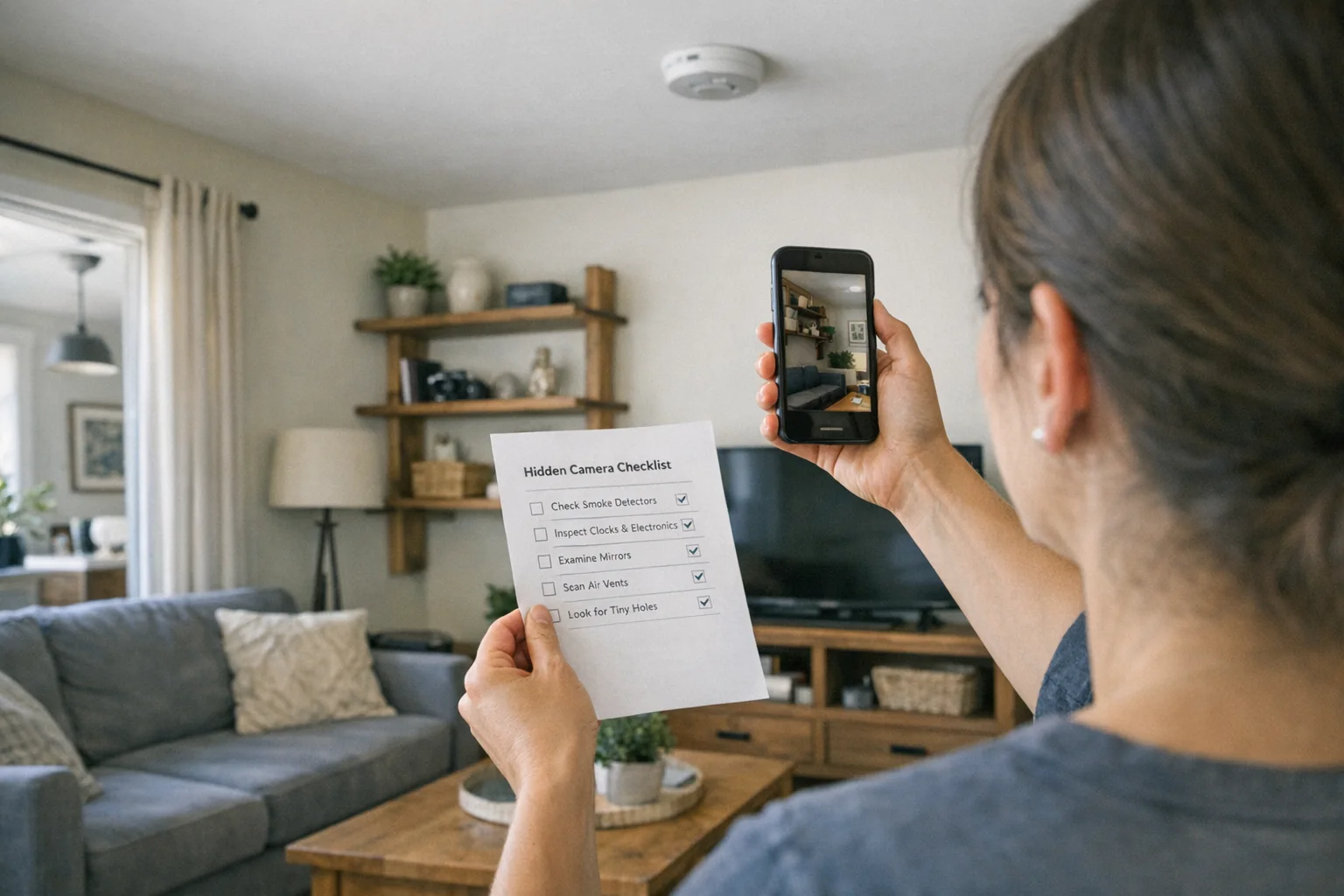
Use your phone’s flashlight to systematically scan every surface. Camera lenses create distinct reflections—look for small glints that catch light differently than normal surfaces. For the full flashlight technique plus 6 more phone-based methods, see our guide to finding hidden cameras with your phone.
Search pattern: Start at one corner and work methodically around the room. Check high and low—cameras can be placed anywhere from floor outlets to ceiling fixtures.
Step 3: Inspect Suspicious Objects
Pick up and examine any object that could conceal a camera. Look for:
- Small holes (pinholes are camera favorites)
- Unusual weight or construction
- Wires that don’t match the device
- Recent modifications or fresh mounting
Step 4: Check All Mirrors
Test mirrors for two-way glass: Place a finger directly against the mirror surface. If there’s a gap between your finger and its reflection, it’s a normal mirror. If your finger touches its reflection with no gap, it could be two-way glass.
What Technology Should I Use to Find Cameras?
Professional detection tools dramatically improve your chances of finding hidden surveillance.
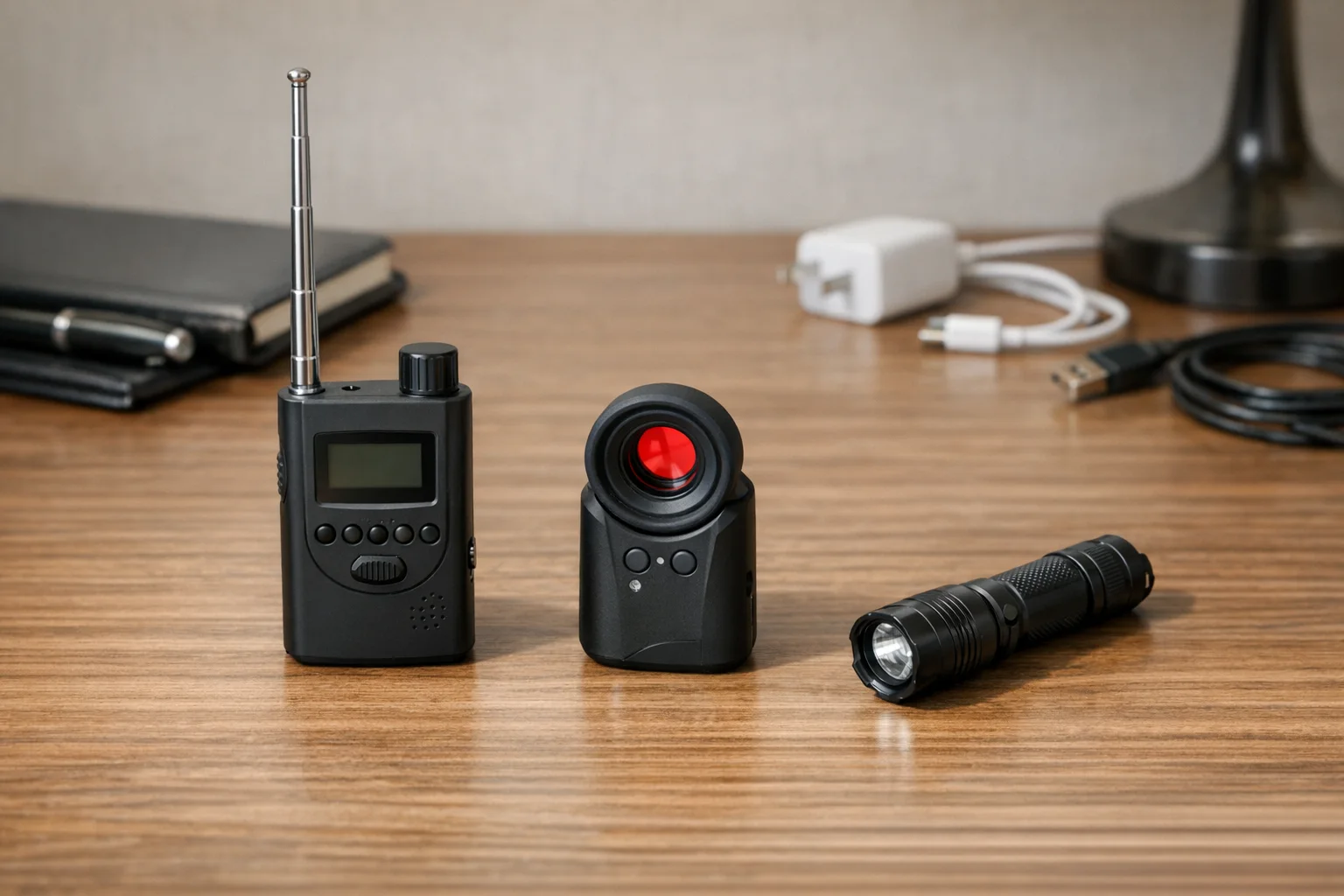
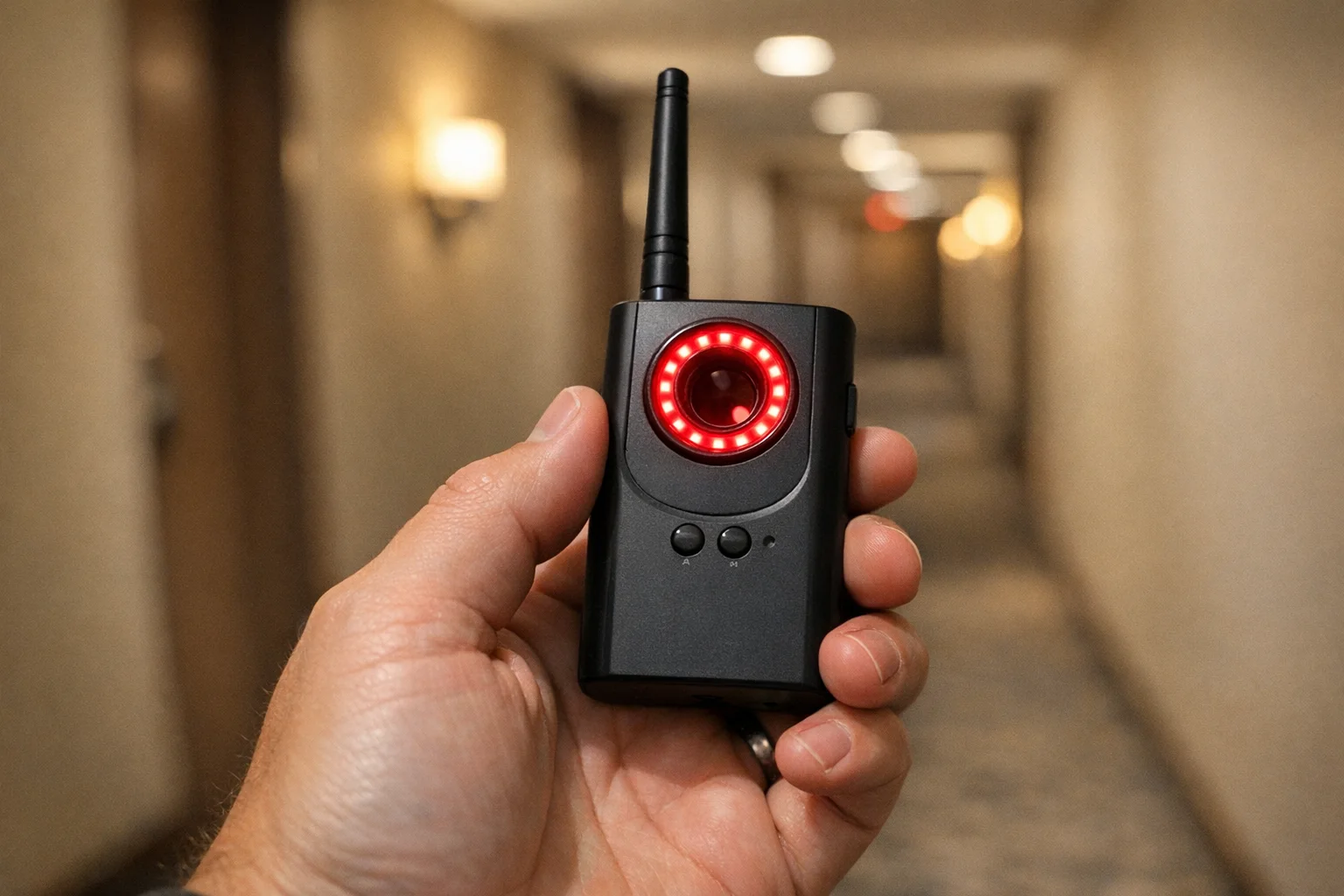
RF Signal Detectors
Best for: Cameras that transmit wirelessly (WiFi, Bluetooth, cellular)
How they work: These devices scan radio frequencies and alert you to transmission signals that could indicate hidden cameras.
Key features:
- Auto-detection of WiFi cameras
- GPS tracker detection
- Audio alert and LED indicators
- Battery level display
Price range: $30-$150
Optical Lens Finders
Best for: Any camera with a visible lens (wireless or wired)
How they work: These devices use LED arrays to create reflections off camera lenses, making them visible through a special viewfinder.
Key features:
- Works on powered or unpowered cameras
- Pocket-sized for travel
- No false alarms from normal reflective surfaces
- Instant visual confirmation
Price range: $40-$200
Multi-Function Detectors
Best for: Comprehensive detection in one device
Key features:
- 4-in-1 functionality
- Five sensitivity levels
- Silent vibration mode for discrete scanning
- Infrared laser scanning
How Do I Check the WiFi Network for Cameras?
Many hidden cameras connect to WiFi for remote viewing, making network scanning highly effective.
Using Your Phone
Download a network scanner app like Fing (free for iOS and Android).
Process:
- Connect to the Airbnb’s WiFi
- Open Fing and run a network scan
- Review all connected devices
- Look for cameras, DVRs, or unknown devices
- Check device names for camera brands (Hikvision, Dahua, etc.)
Using Your Phone’s Camera for Infrared Detection
Many phone cameras can detect infrared light invisible to your eyes. iPhone and Android handle IR differently — our phone detection guide explains which models work and which don’t.
Test your phone first: Point a TV remote at your front-facing camera and press buttons. If you see flashing white or purple lights on your phone screen, your camera can detect infrared.
Detection process:
- Turn off all room lights
- Open your phone’s camera app
- Switch to front-facing camera
- Slowly scan the room looking for unexpected light sources
- Infrared LEDs will appear as bright dots on your screen
Should I Use Detection Apps?
Hidden camera detection apps have limited effectiveness but can complement other methods.
WiFi scanner apps (like Fing) are genuinely useful for identifying network-connected cameras.
“Camera detector” apps claiming to use magnetometers or other phone sensors are mostly ineffective. Your phone’s hardware isn’t designed for professional surveillance detection.
Better approach: Use your phone’s actual camera and flashlight rather than relying on apps with questionable effectiveness. We rank the best detection apps that actually work in our phone detection guide.
Reporting to Airbnb: The Step-by-Step Process That Gets Results

SPYFINDER PRO
Best Overall — Lens Detection
Detects all camera lenses — powered or unpowered — with 99% accuracy
- Detects powered & unpowered cameras
- Zero false positives
- Pocket-sized
2025 Upgraded RF Detector
Best RF Detection
Detects WiFi, Bluetooth, and cellular camera signals from 1MHz to 10GHz
- 1MHz–10GHz frequency range
- WiFi + Bluetooth + cellular
- LED signal strength display

Aroeally 4-in-1 Detector
Best Budget Pick
Combines RF, GPS, lens, and magnetic detection at an unbeatable price
- 4-in-1 detection
- Under $40
- Simple one-button operation
Viutopot Dual Lens Finder
Best Dual Lens
Enhanced optical detection with dual infrared scanning for professional sweeps
- Dual infrared scanning
- Enhanced optical detection
- Compact travel design
Step 1: Before You Report Anything
Document everything:
- Take clear photos of the camera (location, appearance, model if visible)
- Take photos showing the camera’s field of view (what could it see?)
- Take photos showing how it was hidden/concealed
- Screenshot your booking confirmation
- Screenshot any WiFi device lists if applicable
- Write down the exact date/time you discovered it
- Write down everything you did before discovering it (shower, changing, etc.)
Do NOT:
- Touch or move the device
- Unplug or remove batteries
- Delete anything from the WiFi
- Assume the host will remove it (they might just move it)
Step 2: Contact Airbnb’s Safety Team
Three ways to report (all eventually reach same team):
Option A: In-app report (fastest)
- Open your booking
- Scroll to “Resolution Center”
- Click “Report a Safety Issue”
- Select “I found surveillance equipment”
- Upload your photos
- Describe exactly what you found and where
Option B: Safety hotline (for emergencies)
- Call: 1-855-424-7262 (US/Canada)
- Available 24/7
- Tell them: “I found a hidden camera in my Airbnb”
- They’ll escalate immediately
Option C: Email for detailed documentation
- Include booking confirmation number
- Attach all photos clearly labeled
- Write detailed description of camera location and what it could record
- Include your timeline (when you arrived, when you discovered it, etc.)
Step 3: What Airbnb Will Ask For
Be prepared with:
- Description of the device (color, size, brand if visible)
- Exact location in the property (which room, what furniture/fixture)
- Photos from multiple angles
- What the camera’s field of view included
- Whether you stayed, left, or relocated
- Police report number (if you filed one)
They will NOT require:
- Expert verification of the device
- Professional forensic analysis
- Proof that footage was accessed
Step 4: What Airbnb Should Do (And What to Demand)
Airbnb’s standard response should include:
- Full refund (100% of booking amount, no questions)
- Alternative accommodation at similar or higher quality
- Reimbursement for relocation costs (taxi, new booking, food)
- Travel credit for inconvenience ($50-200 depending on situation)
If they offer less, escalate:
- “I want to escalate this to your Trust and Safety team”
- “This is a criminal violation of privacy policy”
- “I expect full refund plus compensation for violation of service”
- “I’m filing a credit card chargeback if this isn’t resolved”
Step 5: If Airbnb Doesn’t Cooperate
Escalation options:
- File a credit card dispute/chargeback (most effective)
- Report the host to your state’s Attorney General
- Post factual reviews on other platforms (not Airbnb, they delete them)
- Contact local law enforcement (they can pressure Airbnb)
- Consult a lawyer (many cases result in settlements)
Credit card chargeback:
- Tell Airbnb: “If this isn’t resolved, I’m filing a chargeback with my credit card”
- Follow through if needed (most effective leverage)
- Document everything for the chargeback claim
The Host Confrontation Question: When to Report vs. When to Leave
Whether to confront the host depends entirely on safety and strategy.
When You Should NOT Confront
Just report and leave if:
- You feel unsafe or uncomfortable
- The host has access and could become aggressive
- You’re alone and unsure of the host’s reaction
- The camera is in a bedroom/bathroom (criminal violation, not a gray area)
- You’re traveling internationally and unfamiliar with law enforcement
In these cases: Report to Airbnb, take the refund, and let them handle it.
When Confrontation Might Be Safe
You could message the host IF:
- The camera is disclosed/legitimate (just broken/positioned wrong)
- You’re asking for clarification: “I saw a camera in [location]. Can you explain what it monitors?”
- You’re documenting their response for the complaint
- You have a way to leave safely immediately after
But remember: Even “innocent” confrontations can escalate. Your safety > confrontation.
Quick Reference: Airbnb Detection + Reporting Checklist
Before arrival:
- Reviewed listing for camera disclosures
- Read recent reviews for privacy complaints
- Checked host profile for red flags
- Took screenshot of listing
Upon arrival (before unpacking):
- Scanned room visually for suspicious objects
- Used phone IR camera in dark
- Ran Fing WiFi scan
- Checked for smart displays with camera tabs
If you find something:
- Took photos from multiple angles
- Documented camera location and field of view
- Did NOT touch or move device
- Did NOT unplug or disable it
- Called police (if criminal/undisclosed)
- Reported to Airbnb via safety hotline or in-app
- Took screenshot of booking confirmation
- Documented all communication with Airbnb
For Complete Detection Methodology
See our Room Sweep Guide: How to Check Any Room for Hidden Cameras for the comprehensive, professional-grade detection process that works in any setting.
Frequently Asked Questions
Can Airbnb hosts legally have cameras inside the rental?
No. As of April 30, 2024, Airbnb completely banned all indoor cameras in rental properties. Hosts can only have outdoor cameras in public areas, and they must be disclosed in the listing.
What should I do immediately if I find a hidden camera?
Don’t touch or unplug the device. Document it with photos and video, call local police (not just Airbnb), secure alternative accommodation, and report it to the platform immediately.
Do RF detectors work for all hidden cameras?
RF detectors only work for cameras that transmit wirelessly (WiFi, Bluetooth, cellular). They won’t detect cameras that record locally to SD cards or wired cameras. Use multiple detection methods for complete coverage.
Can my phone really detect hidden camera infrared lights?
Yes, but only with certain phone cameras. Test your phone first by pointing a TV remote at your front-facing camera and pressing buttons. If you see flashing lights on screen, your camera can detect infrared.
Are there any free ways to detect hidden cameras?
Yes. Use your phone’s flashlight to look for lens reflections, check the WiFi network for unknown camera devices, physically inspect suspicious objects, and test mirrors for two-way glass.
Can I get money beyond a refund?
Yes. Airbnb should pay:
- Full refund of booking
- Alternative accommodation cost (if you paid for relocation)
- Travel inconvenience credit ($50-200)
- Some cases warrant higher compensation for privacy violation
For higher compensation:
- Escalate to Trust & Safety
- Mention credit card chargeback
- Consult a lawyer (many will take contingency)
- State’s Attorney General can intervene
How long does Airbnb investigation take?
Typically 2-4 weeks. You should get immediate refund while they investigate. If they’re slow: escalate, mention chargeback, or file a complaint with your state’s AG. Don’t wait months—push for resolution.
Should I post about this on social media?
Be careful. Stick to factual statements. Don’t post before contacting Airbnb (damages resolution). Don’t post the host’s identity without proof. Focus on warning others factually without defamation. After Airbnb confirms and acts, sharing your experience helps others.
Your Airbnb Safety Strategy Going Forward
Don’t let one bad experience make you paranoid, but do stay smart:
For every future booking:
- Before booking: Read recent reviews specifically for privacy concerns
- At booking: Check listing for camera disclosures
- Upon arrival: Do the 15-minute Airbnb check
- If anything feels wrong: Report and relocate (Airbnb covers cost for safety issues)
The bottom line: Airbnb’s ban is real and most hosts follow it. But without guest reporting, bad actors remain undetected. Your reports directly protect future guests.
Related Guides
Smart Picks
Smart Picks for This Guide
We curated this short shelf from high-performing recommendations for faster buying decisions.
SpyFinder Pro
Most accurate lens detection
Best when you need confident detection of hidden wired and non-transmitting devices.
- Consistent lens performance
- Clear pass/fail indicator
- Strong build quality

JMDHKK K18+
Most complete detection method
Four detection modes for quick room sweeps in hotels, Airbnbs, and rentals.
- RF + lens + magnetic + audio
- Affordable
- Simple sensitivity controls
Navfalcon 2025 RF Detector
Best value RF upgrade
Higher sensitivity for RF-focused scans and fewer misses on battery-powered units.
- Improved RF filtering
- Longer scan reach
- Budget-sensitive option
We earn commissions from qualifying Amazon purchases. Full disclosure.
Get the free checklist
Printable hidden camera detection checklist + gear deals. Free, no spam.
Free updates. Unsubscribe anytime.
Frequently Asked Questions
Can Airbnb hosts legally have cameras inside the rental?
What should I do immediately if I find a hidden camera?
Do RF detectors work for all hidden cameras?
Can my phone really detect hidden camera infrared lights?
Are there any free ways to detect hidden cameras?
What to Do Next
Related Guides
Best Hidden Camera Detector Apps (2026): iPhone & Android
The best hidden camera detector apps for iPhone and Android — what they find, what they miss, and when to upgrade to dedicated hardware.
Read guide Workplace Surveillance Detection in Your Home Office (2026)
Methods to identify covert workplace monitoring at home, from software logs to unusual network activity and hidden devices, while protecting your privacy.
Read guide
How to Find Hidden Cameras with iPhone and Android (2026)
Use your iPhone or Android to detect hidden cameras with built-in tools. Step-by-step: flashlight sweep, IR check, WiFi scan, and when to upgrade to gear.
Read guide